Retour aux promos
Yeastar Linkus Mobile Client

Utilitaires

Gratuit

Yeastar Linkus Mobile Client

par Yeastar

3,2 (17) v5.26.15 68 Mo Universel 4+

Captures d'écran

Description

Linkus is a VoIP Mobile Client coordinated with Yeastar PBXs that makes your iOS mobile phone an office extension and links you and your colleagues and customers anywhere anytime. Make and receive calls through corporate phone network to slash call costs and enhance efficiency with consistent in-office experience.

Key Capabilities
- Make and receive enterprise VoIP calls over your Wi-Fi or mobile data networks to lower mobile voice charges
- One number reach to conceal your personal mobile phone number and ensure unified corporate identity
- Set up flexible ring strategy for Linkus and the desktop phone
- Select different outbound routes for different destinations (local/long-distance/international, etc.)
- Corporate directory integration with lookup and visual status indicator (available/unavailable/busy)
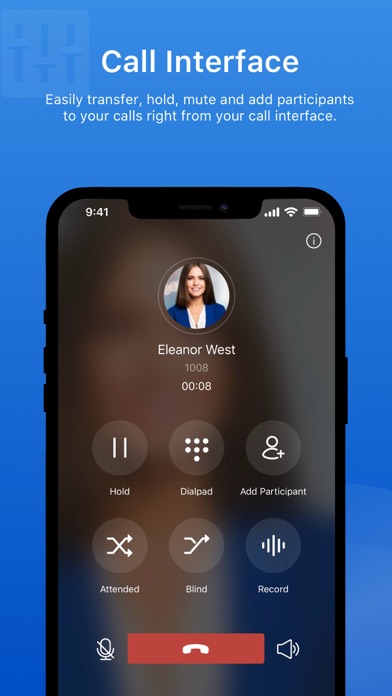
- Configurable PBX features including Call Transfer, Call Forwarding, Call Waiting, DND, and Ring Timeout
- Support Push Notifications to alert users of incoming calls while conserving energy

Main Features
Call Forwarding
Call History
Call Route Selection
Call Transfer
Call Waiting
Contact Management
Corporate Directory
Do Not Disturb
Extension Status
Hold & Resume
Native Contacts Integration
One Touch Recording
Outbound Route Selection
PUSH Notification
Ring Strategy Selection
Speed Dial/Favorite
Voicemail

Specifications
iOS Requirement: iOS 11.0 or higher
Network: 2G/3G/4G or Wi-Fi
Protocol: SIP FRC2361
Codec: iLBC/u-law/a-law/G722/G729
Network Protocol: TCP/IP/UDP, RTP/SRTP/RTCP, HTTP/HTTPS
DTMF: Inband, RFC4733 (RFC2833), Info

Important:
This application is integrated with Yeastar PBXs; your administrator must provide you with identity information for you to start using.

Nouveautés (v5.26.15)

1. Added compatibility with AI Receptionist feature:

- When receiving an AI receptionist-transferred call, the incoming call window displays a From AI Receptionist tag.
- After answering the call, the call window shows the AI receptionist-generated call transcript and summary, as well as collected customer information.

Note:

- The information is visible only to the first person who answers the transferred call. It is no longer displayed after the call becomes a multi‑party call or is transferred again.
- Whether customer information is displayed depends on the AI Receptionist configuration on the PBX.

2. Optimized External Chat feature: For a WhatsApp session, if no matching number is found among existing contacts, Linkus uses the recipient's WhatsApp profile name as the session name.

Note: The session name updates only when the recipient replies to your message.