Retour aux promos
SynScan

Utilitaires

Gratuit

SynScan

par Astropower Technology Co. Ltd.

3,0 (3) v2.5.15 46 Mo Universel 4+

Captures d'écran

Description

Use the SynScan app to control Sky-Watcher telescope mounts via Wi-Fi or Bluetooth LE. Mounts without built-in Wi-Fi can be supported via a SynScan Wi-Fi adapter.

This version of the SynScan app is suited for novice users using alt-azimuth mounts.

Features
- Control telescope mount to slew, align, GOTO and track.
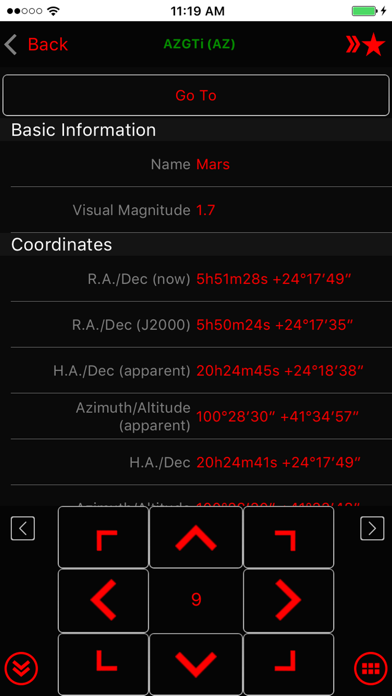
- Point And Track: track celestial objects (including the Sun and planets) without aligning.
- Support gamepad navigation.
- Browse a catalog of stars, comets, and deep sky objects. Or, save your own objects.
- Provide access to mount for use by third-party apps, including ASCOM clients, SkySafari, Luminos, Stellarium Mobile Plus, Stellarium Desktop or customer-developed apps. Also set up mount alignment for Luminos, Skysafari.
- Support access to the mount and the SynScan app from any platform that supports TCP/UDP connections.
- Provide emulator mount for testing and practicing.
- Track fast-moving earth satellites by working with the PreviSat app on Windows PC or the Lumios app on iOS devices.

Nouveautés (v2.5.15)

• PM Sharing: changed broadcast interval from every 60 sec to every 3 sec. Make more robust.
• Connect popup: fix problem with multiple popup (connect, choose mode, restore from park) not showing in right order

• AZ tracking: not use trail points to track when aux encoder is enabled
• Fix ASCOM server not responding due to receiving zero length UDP packet.

• Tonight's best page: not reset tab or search text when leaving
• Fix crash when going to polar alignment page while disconnected but have EQ mount alignment

• Alignment routine: fix centering UI incorrectly closing when centering failed
• SynScan App protocol server: add support for getting mount axis: 'telescope.Action("AxisCoordinatesGet", "")' -> degree string eg "45.0,15.0". No need to update "SynScan App" ASCOM driver.
• Camera exposure group: ensure to keep screen awake