Description
Track your diamond painting projects like never before with the completely redesigned Diamond Painting Logbook.
Whether you're managing a growing stash or actively working on multiple projects, this app keeps everything organised, detailed, and easy to access—all in one place.
Now rebuilt from the ground up, Version 2 introduces powerful new features, improved performance, and cloud syncing to keep your data available across your devices.
Keep track of everything that matters:
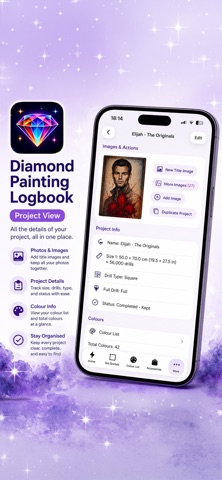
* Project size, cost (price, shipping, discount)
* Drill type (Round, Square, Special)
* Full or partial coverage
* Status and lifecycle dates (Ordered, Dispatched, Received, Started, Finished)
* Where you purchased your kit
* Artist name and order/tracking numbers
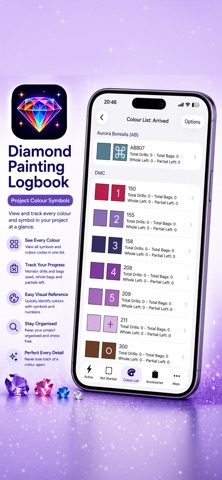
* Full drill colour lists, including DMC, Diamond Dotz, AB, and Diamond Art Club
* Custom colours with assignable colours and symbols
Take control of your time:
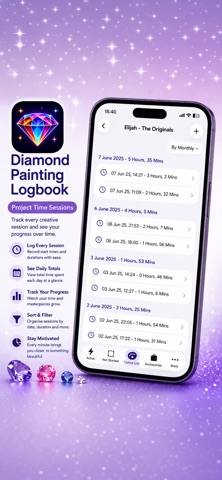
* Track time spent on each project
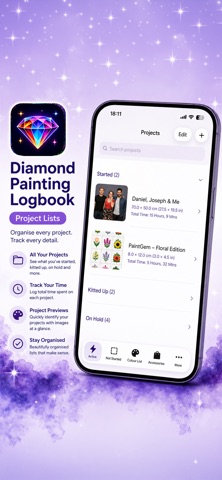
* Start, pause, and stop sessions directly from the project list
* Manage breaks alongside sessions
* Add notes to time sessions
* Get notified if you leave a session or break running
* View enhanced stats and set custom time ranges
Stay organised and efficient:
* Cloud syncing keeps your data backed up and in sync
* Faster loading with thumbnail-based image previews
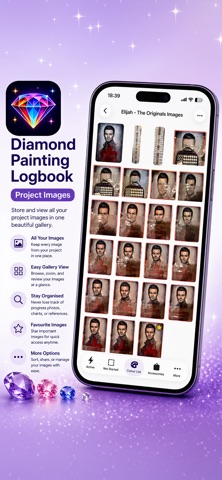
* Store multiple progress images per project, with notes and a selectable title image
* Advanced filtering and improved search (including purchase location)
* Track accessories alongside your projects
* Assign symbols to project colours for better visual tracking
Smarter project management:
* Updated status system including Completed, Started, Not Started, Not Received, Wish List, On Hold, Gifted, Kitted Up, Sold (Not Completed), and Lost
* Quickly mark projects as received directly from the detail screen
* Prevent multiple active sessions at once to avoid tracking errors
* Visual indicators for active and paused sessions in lists
* Spin the wheel to pick your next project
Connected and convenient:
* Integration with Piwigo, including upload queue support
* Open project URLs, tracking links, and FAQs without leaving the app
Version 2 also includes a refreshed app icon, expanded stats, improved filtering options, and numerous bug fixes for a smoother experience.
Whether you're a casual hobbyist or a dedicated collector, Diamond Painting Logbook helps you stay organised, motivated, and in control of your projects.
Nouveautés (v2.6.0)
### Short Version
Version 2.3 makes project importing smarter, adds project sharing, custom symbol images, Treasure Cards, a project Trash, new cost tracking, and more quality-of-life improvements and fixes.
---
### Long Version
**What's New in Version 2.3**
Version 2.3 introduces smarter importing, improved project management, expanded customisation, and new ways to organise and share your diamond painting collection.
**Smarter Project Importing**
* Existing project URLs are now automatically imported when editing a project
* Preview and highlight the changes before importing project details
* Estimated dispatch date ranges are now added to your project notes when importing from a URL
**Project Management**
* Deleted projects now move to a **Trash** where they can be restored
* Trashed projects are automatically removed after 30 days or can be permanently deleted at any time
* Added a **Tax** field to project costs
* Projects dispatched but not yet received now show the number of days since dispatch
* Estimated dispatch dates now account for delays caused by other projects in the same order
**Customisation & Sharing**
* Support for custom symbol images
* Share projects and project images with others
* Added Diamond Art Club Special colours **Y192** and **Y194**
**Treasure Cards**
* Treasure Cards now have their own dedicated section with more detailed information
**Piwigo & Organisation**
* Added a **WIP On Hold** album option for Piwigo uploads
* Accessory sections can now be collapsed
* Updated the Other Projects list to match the rest of the app
* Expanded Quick Start Time to support up to four projects
* Removed Add Project from Quick Actions
**Bug Fixes**
* Fixed the height of the project notes field
* Fixed an issue where the Add Image button could become unresponsive
* Fixed an issue where adding an image after stopping a Live Activity session didn't save the image correctly
This update also includes additional performance improvements and refinements to make managing your projects even smoother.