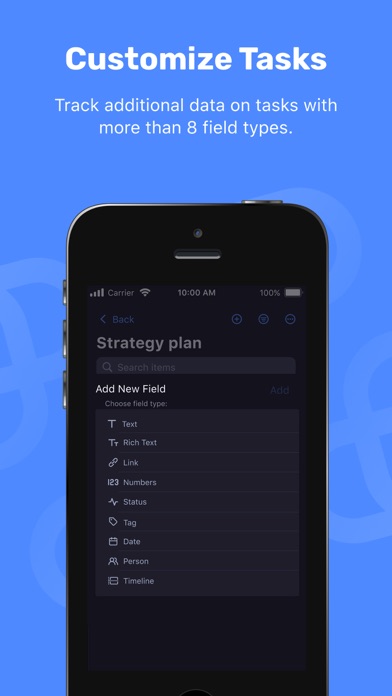
Description
Organize projects, tasks, and teamwork in one place. Plaky is a project management app that helps teams plan work, track tasks, and collaborate on projects. Create project boards, assign tasks, monitor progress, and keep everyone aligned on what needs to be done.
PROJECT MANAGEMENT
Organize projects using boards and workflows that help teams see progress clearly. Track tasks and manage work without complicated tools.
TASK MANAGEMENT
Create tasks, assign responsibilities, and set deadlines. Add descriptions, checklists, and updates so that work stays clear and organized.
TEAM COLLABORATION
Discuss tasks directly with your team using comments and updates. Keep communication connected to the work.
FILE SHARING
Attach documents, images, and resources to tasks so that teams always have the information they need.
TRACK PROJECT PROGRESS
See task and project status at a glance. Quickly understand what is in progress and what has been completed.
FREE PLAN AVAILABLE
Start with a FREE plan that includes unlimited spaces, boards, and items, task collaboration, and task comments and updates.
ADVANCED FEATURES FOR TEAMS
Plaky also offers advanced capabilities, such as automations, bulk actions, timeline fields, activity logs, viewer role, board ownership management, custom workspace domain, and single sign-on (SSO).
Download the app and create an account for free, or log in using your existing details.
Nouveautés (v2.2.5)
What's new?
-Multiple chart widgets: Chart View just got a major upgrade—create up to 30 widgets, duplicate them effortlessly, and apply separate filters for every widget.
-Favorite and Recents widget: We’ve added new Favorite and Recents widgets to the home screen, instantly showing the boards you’ve marked as favorites and the ones you’ve opened most recently. Stay organized and efficient with quick access to the boards you use every day.
-Conflict resolution: We’ve upgraded the conflict‑handling system so you can keep using any board features that aren’t directly involved in a conflict—allowing you to work normally without having to pause the whole board.
-Walkthrough: Start by creating your very first board, then let the interactive walkthrough walk you through all the key elements. In minutes you’ll know exactly how to use items, fields, and board settings to stay on top of your work.
What's fixed?
-UX/UI improvements and bug fixes