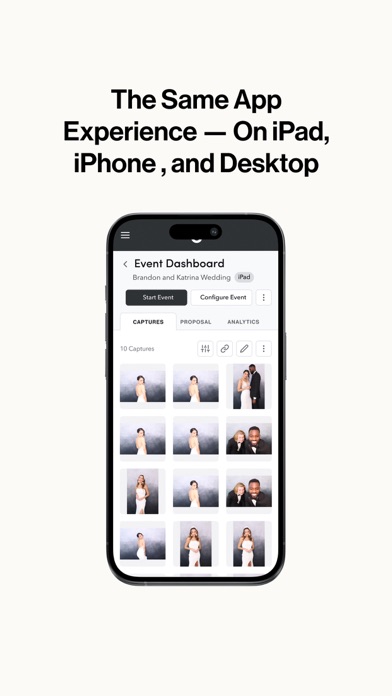
Description
Streamline your photo booth business with Fiesta, the all-in-one photo booth software built to help you book, create, and capture events.
Our all-in-one photo booth software is designed for photo booth owners who need powerful tools to run events, manage bookings, and enhance customer experiences with just one software.
Fiesta is more than just an app for your events – it's a software to run your business.
KEY FEATURES:
Unlimited Events & Captures
• Run unlimited events and capture as many moments as you want—no limit on usage
Popular Capture Modes
• Photos, GIFs, Boomerangs, Slow-Mo, Videos, 360, Group Shots, AR Photo Booth Filters, Multi-Capture, Face Masks, Glam, Green Screen and more
360 Video Booth Integration
• Built-in camera stabilization
• Free royalty free soundtracks
• Pre-built video templates
• Use on any 360 booth
• Auto start and capture feature
Photo Booth Business Tools
• Portfolio website to use as your starter website and to showcase your services
• Custom Proposal Builder to increase bookings
Print Options
• Print photos on the spot via AirPrint® or wired printing for a hassle-free guest experience
Design Studio
• Hundreds of done-for-you designs
• Customizable templates
Social Sharing Integration
• Instantly share photos via email, text, QR Code, and AirDrop.
• Virtual photo booth option
• Offline mode
• Sharing station
Live Gallery Slideshows
• View constantly updating carousels on a TV or projector
Analytics & Insights
• Event engagement data
• Collect emails and phone numbers for marketing purposes
• Survey data
WHY CHOOSE FIESTA PHOTO BOOTH SOFTWARE?
• All-In-One Solution: No need to purchase, learn, and coordinate multiple apps. Fiesta includes everything you need to run a successful photo booth business.
• Reliable Performance: Built for stability, ensuring smooth operations during even the most demanding events.
• Comprehensive Support: Onboarding training, customer support team, and an online community of fellow photo booth owners.
• Regular Updates: Stay ahead with continuous improvements and new features to keep your photo booth software at the cutting edge.
PERFECT FOR:
• Photo Booth Businesses: Enhance your service offerings and maximize profitability with advanced features tailored for a variety of events.
• Event Planners and Event Professionals: Deliver seamless, memorable events with powerful tools that streamline the photo booth business management.
• Corporate Events & Marketing: Boost brand awareness and engage attendees with custom-branded photo and video content.
DOWNLOAD FIESTA TODAY.
Join thousands of successful photo booth owners who trust Photobooth Supply Co. as their software solution to run their events smoothly and efficiently! Download now and take your photo booth business to the next level.
Nouveautés (v1.10.0)
Thank you for downloading Fiesta, your all-in-one photo booth software.
Photobooth Supply Co. is excited to introduce Fiesta 1.10.0, a major update featuring AI Background Removal, a redesigned Printing tab, and expanded Sharing Station access for Fiesta Pro.
This release unlocks powerful new tools for businesses of every size, whether you’re creating immersive virtual background experiences, streamlining your print workflow, or scaling your Sharing Station setup.
AI Background Removal
• Remove backgrounds in real time and replace them with Virtual Backgrounds, no green screen required
• Preview background removal before your event so you know exactly what guests will see
• The “Green Screens” asset category has been renamed “Virtual Backgrounds” to better reflect the feature capabilities
Redesigned Printing Tab
• Printer setup and controls now live in a dedicated Printing tab within Event Settings for a cleaner, more organized workflow
• Automatically set Chips Printer as the event printer when it’s connected to the Guac Photo Booth
• Color management and print adjustments are grouped together for faster pre-event setup
• Send a test print directly from the Printing tab to verify your setup without having to start the event
Unlimited Sharing Station for Fiesta Pro
• Fiesta Pro users can now run Sharing Station on an unlimited number of iPads
• 360 and DSLR events are fully supported with expanded Sharing Station eligibility
This update also includes a number of bug fixes and improvements:
• Resolved an issue that caused the Admin Menu to appear after the event’s duration ended when Event Auto Start was disabled
• Resolved an issue where the Operating Hours screen would appear unexpectedly appear after 24 hours when Event Auto Start was disabled
• Resolved an issue that prevented launching Sharing Station in DSLR events due to no camera being connected
• Resolved an issue where some video captures would fail to save correctly
• Resolved an issue where removing 2x6 photo template designs from an event caused incorrect prints when printing from the Event Dashboard
• Resolved an issue where removing an overlay from the web app would sometimes also remove a photo templates in the iOS app
• Improved the Test Photo screen with a larger preview image for easier camera settings evaluation before starting an event
• Resolved an issue where setting a capture as the Event cover while offline showed a success notification but did not apply the change until after returning online and syncing
• Resolved an issue that prevented exporting or download captures that had not been uploaded to the Live Gallery yet
• Improved responsiveness of progress bar when uploading captures manually to an event
• Improved the speed and reliability when searching for events
• Improved the opacity for certain notifications for better readability
• Improved various support site links throughout the app
If you have questions, we have answers! Head on over to support.photoboothsupplyco.com to learn all about the new Fiesta Software or reach out to us at support@photoboothsupplyco.com.