Description
Rocketlane is the first-ever modern, customer-centric, onboarding and professional services platform teams need to accelerate time-to-value and increase margins.
With Rocketlane Mobile, drive project success anytime, anywhere with Rocketlane Mobile. Easy collaboration, one-click task and timesheet updates, and instant alerts to keep you in the loop.
Swipe, tap, deliver - Your whole project world in your palms
Monitor project progress, retrieve any document on the fly, and access all your chats for ongoing conversations—because your best work can happen anywhere.
Catch your day’s work in a nutshell
A go-to inbox of all the upcoming tasks, and approaching deadlines that need your attention. Effortlessly keep your task status up-to-date, adjust due dates, and attach files with ease.
Updating timesheets no longer a chore
Just pull in events from your calendar and log time for your tasks — on your way out, home, or during a quick break. As your day rolls out, so do your completed timesheets.
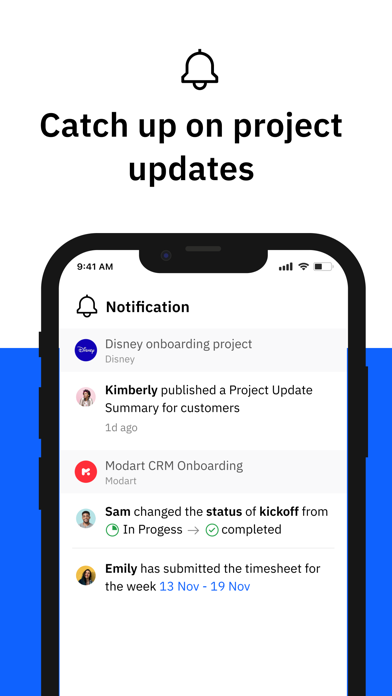
Stay informed with real-time notifications
Keep high-risk, critical projects constantly on your radar. Rocketlane Mobile ensures you're in the know with real-time alerts for any status shifts, document edits, and approvals due.
Collaborate with your partners & customers
Promptly address blockers, exchange feedback, and share resources - all from your mobile. Plus, a sprinkle of emojis for that extra dash of team cheer.
Nouveautés (v0.6.76)
Timesheet Freeze Enforcement
Fixed: Timesheets marked as frozen by your organization were still editable, withdrawable, and deletable from the mobile app. This has been fully resolved.
What changed
- Frozen dates are now fully locked. Time entries on or before the configured freeze date can no longer be created, edited, deleted, submitted, or withdrawn from the mobile app.
- Lock indicators on frozen dates. The week bar now displays a lock icon on each frozen date, making it clear which days are locked at a glance.
- Disabled interactions on frozen dates. When creating a new time entry on a partially frozen week, the duration selector, quick-add buttons, and fields are disabled for frozen days. Calendar activity events on frozen dates also show a lock icon and cannot be selected.
- Add buttons hidden on fully frozen weeks. The "Add time entry" and "Add from Calendar" buttons are hidden when every day in the viewed week is frozen.
- Clear error messages. If a frozen time entry operation is attempted, the app now shows a specific message explaining the action was blocked due to the freeze — instead of a generic error.