Retour aux promos
Spendora Finance

Finance

Gratuit

Spendora Finance

par Spendora Enterprise

v1.1.31 87 Mo Universel 4+

Captures d'écran

Description

With our simple and user-friendly interface app, you can easily track your expenses, create budgets, and make informed decisions about your spending.

Key Features:

- Expense Tracking: effortlessly record your daily expenses, including categories, amounts, retailers and notes
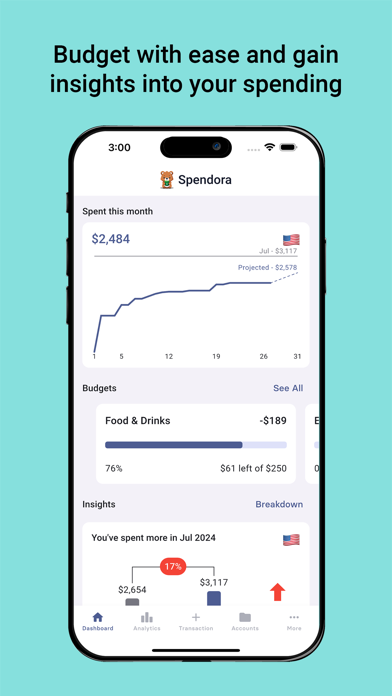
- Budgeting: create customized budgets based on your financial goals. Set spending limits for different categories and stay on track with your financial plan
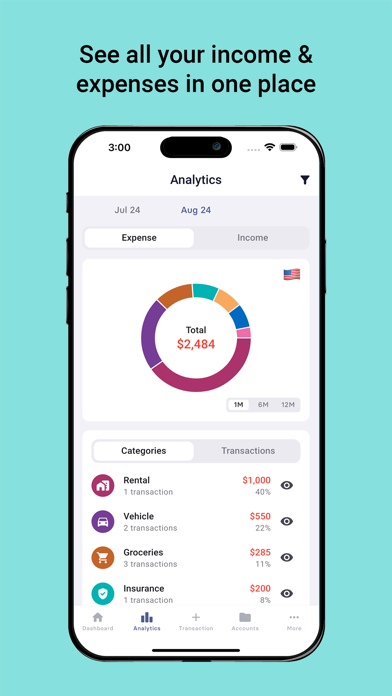
- Analytics and Insights: gain insights into your spending habits with detailed analytics and insights to identify areas where you can save and make smarter financial choices
- Split Expenses: Track your expenses together with friends and family and know how much you're owed or owe
- Recurring & Experience Account: segregate special event expenses (vacations, celebrations etc.,) from your daily expenses
- Currency Conversion: track foreign transactions in your home currency with live exchange rates
- Category Customisation: create your own categories based on your preferences
- Dark/Light Mode: automatically chooses dark or light mode based on your phone settings, with the option to manually change it in settings
- Secure and Private: your financial data is securely stored with bank-level encryption, ensuring your privacy and peace of mind

Benefits:

- Take Control of Your Spending: gain a clear understanding of where your money goes and make informed decisions about your financial future
- Reach Your Financial Goals: whether you're saving for a down payment, planning a vacation, or simply trying to make ends meet, Spendora helps you stay on track and achieve your financial aspirations
- Reduce Financial Stress: eliminate stress and anxiety associated with managing your finances. Spendora empowers you to take control of your money and create a brighter financial future

Download Spendora today and unlock the key to financial freedom!

Nouveautés (v1.1.31)

- Smoother editing on the Adjust Split and Settle pages — fields scroll above the keyboard and no longer clip larger amounts.
- Tap any amount to auto-select it and type your new value straight away.