Retour aux promos
SATO Mobile All-In-One Tool

Affaires

Gratuit

SATO Mobile All-In-One Tool

par SATO CORPORATION

1,0 (2) v3.3.101 105 Mo Universel 4+

Captures d'écran

Description

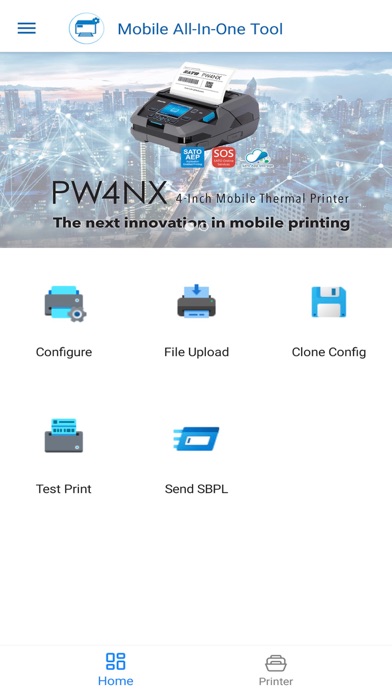
SATO Mobile All-In-One Tool is a printer utility tool to configure SATO printers* more easily and efficiently by utilizing the Wi-Fi or NFC interface. SATO printers supported to use with this tool include CL-SXR, CLNX plus, CLNX-J Plus, CT4-LX, CT4-LX-HC, HC4-LX, FX3-LX_Ln, PW2NX, PW4NX, S84NX, S86NX and WT4-AXB.

Functions:
1. Configure
Create Printer Configuration, Apply Configuration, and Configure Printer Directly


2. Test Print
Factory test print option and Test print from the attachment (Printer Command)


3. File Upload
Upload font, printer package file (AEP, Clone) and certificates


4. Create Clone
Create a printer clone from a target printer


5. Send SBPL
Send SATO Barcode Printer Language (SBPL) command to the printer to retrieve information

Note: The Bluetooth interface option is available for Apply Configuration, Test Print, Send SBPL functions.

Nouveautés (v3.3.101)

New Features:
Added support for retrieving the printer’s default password via NFC and SATO ID AUTH. (Available to selected users only)

Enhancements:
Added a “Get Default Password” button for printer password retrieval through SATO ID AUTH. (Available to selected users only)

Bug Fixes:
Fixed an issue where CL-SXR default configurations could not be applied successfully.
Fixed an issue where switching between dark and light mode did not update the theme color correctly.