Description
PASS YOUR USCG COLREG & OOD EXAMS WITH CONFIDENCE
Neptune: Navigation Rules is the only modern study system that combines the official USCG Question Bank with an AI Tutor, interactive 3D Visual Training, and verbatim cards. Whether you are an Ensign preparing for OOD Phase 1 or a Captain refreshing for a renewal, Neptune replaces heavy textbooks with a smart, pocket-sized coach.
NEW: VERBATIm MEMORY TRAINER
Level up recall: hide key phrases and type them back to prove you know the rule, not just the letter.
Adaptive drills: auto-submit when blanks are filled, with instant feedback and retries to lock in weak spots.
Inline citations: jump straight from a missed phrase to the exact rule text.
3D LIGHTS & SHAPES TRAINER Stop memorizing static flashcards.
Interactive 3D Models: Rotate vessels to see lights and shapes from any angle.
Quiz Mode: Answer questions based on target angle, vessel ID, cardinal direction, and rules of the road.
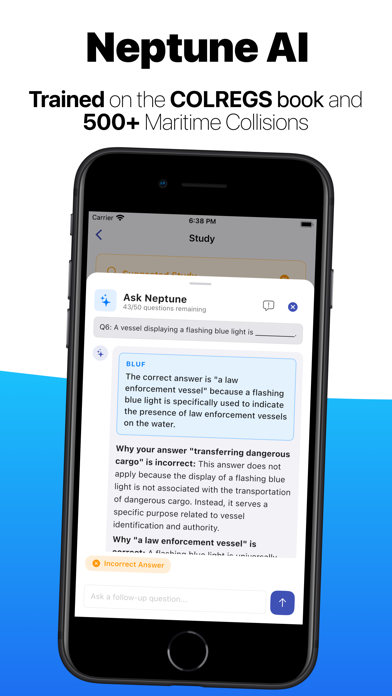
AI-POWERED REFERENCE Don't just memorize the answer—understand the Why.
Ask Neptune: Chat with an AI trained specifically on COLREGS and over 500 maritime court cases.
Instant Explanations: Get plain-English breakdowns for every question with citations to the rules and cases.
Legal Context: Using the court cases see how rules are adjudicated in the real world.
COMPLETE USCG QUESTION BANK & BOOK
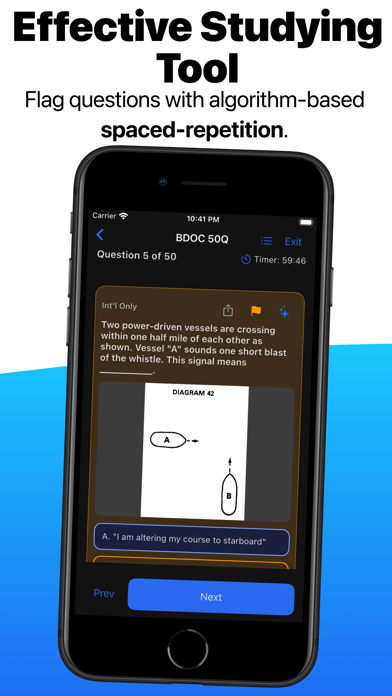
Official Pool: Full access to Inland and International questions.
Smart Citation: Every question is linked directly to the specific Rule it tests.
Custom Tags: Add your own notes, highlights and rule references.
INTELLIGENT TEST MODES
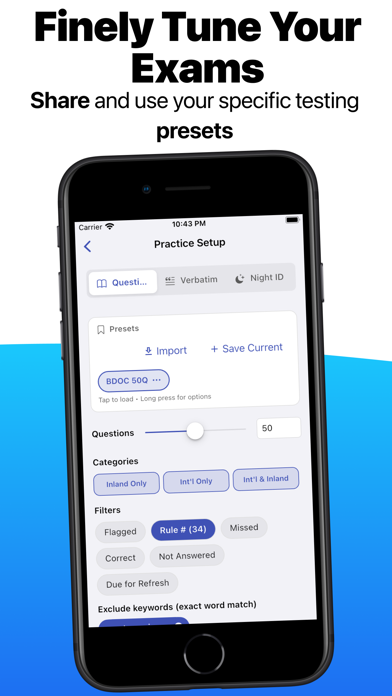
Exam Simulator: Mimic the real test by creating presets with precise filters for question number, specific words to be omitted, and rules. Or enable the Smart algorithm to dish you out trouble questions.
Study Mode: Filter by "Least Confident" to drill the questions you get wrong.
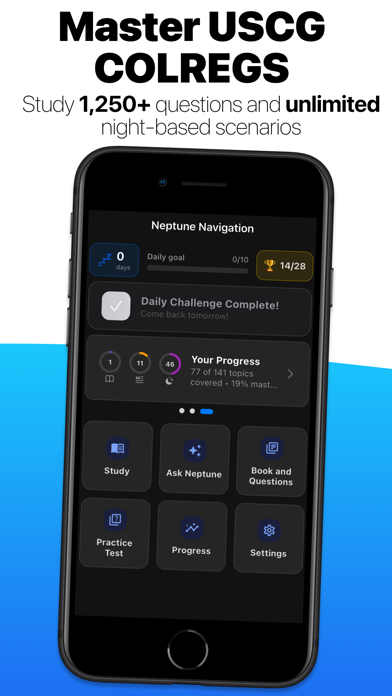
Daily Challenges: Keep your streak alive with quick, timed quizzes to build a daily study habit.
ADVANCED PROGRESS TRACKING
Confidence Scores: Visualize your mastery of every Rule based on SM-2 Algorithm.
Heat Maps: Instantly see if you are weak on "Steering & Sailing" or "Sound Signals."
Detailed History: Review past attempts to track your improvement over time.
THE MODERN STANDARD
Offline Ready: Study in the SCIF or underway—no internet required.
Dark Mode: Fully optimized for night watch study sessions.
Cloud Sync: Start on your iPhone, finish on your iPad.
Nouveautés (v1.2.2)
What is New
Spaced Repetition (SM-2) - Neptune now schedules reviews based on your performance, surfacing weak topics more frequently
Progress Dashboard - New mastery rings card showing your status across Rules, Lights, and Verbatim at a glance
Mixed Daily Challenge - Daily sessions now combine COLREGs rules, verbatim recall, and vessel light questions
Multi-Diagram Swipe Viewer - Questions can display multiple diagrams; swipe through them full-screen
Unified Test Summary - Consistent end-of-session summary screen across all quiz types with per-topic breakdown
Resume Verbatim Sessions - Pick up in-progress verbatim tests where you left off
Flag Questions - Flag any question or rule during a session to review later
New Vessel Lights - Added 12m and 7m power-driven vessel configurations; hull display enabled in the night viewer
New Achievements - Verbatim Master and Night ID badges now trackable
Study Walkthrough - Guided onboarding flow for new users
UI Improvements - Redesigned picker sheets, smoother scroll behavior, better icons throughout
Bug Fixes
- Fixed stale question citation rows persisting after an app update
- Fixed progress data not rebuilding correctly after deleting a session
- Fixed sync errors caused by missing SM-2 columns on older installs
- Fixed progress history not backfilling from older test sessions after sync
- Fixed date normalization inconsistencies in the sync service
- Fixed inline answer feedback incorrectly appearing in non fill-in exercises
- Fixed null safety crashes across several study and progress screens
- Fixed diagram colors and references loading incorrectly in the rule detail view