Description
Ebru transforme votre iPad en un bain d'eau et votre Apple Pencil en pinceau — l'artisanat que les maîtres ottomans ont pratiqué pendant 500 ans, désormais animé par une véritable simulation de fluide.
Posez une couleur sur l'eau. Regardez-la se diffuser, tournoyer et répondre à chaque geste, exactement comme le ferait une encre véritable. Peignez des marées avec le peigne. Domptez un "nid de rossignol". Enregistrez le résultat en image 4K, en fichier .ebru réouvrable, ou en vidéo où chaque trait se redessine sous vos yeux.
Ce n'est pas un filtre. C'est du vrai marbrage, lent et méditatif — comme il a toujours dû l'être.
POURQUOI EBRU ?
◆ Outils de marbrage turcs authentiques
Battal, Yaprak (feuille), Tek Damla (goutte unique), Gelgit (marée), Şal (châle), Bülbül Yuvası (nid de rossignol), İç içe Bülbül — les motifs classiques, avec les bons réglages.
◆ Vraie physique des fluides
Chaque goutte déplace réellement les couleurs en dessous, comme le ferait un surfactant sur l'eau. Chaque peigne laisse une trace.
◆ Pensé pour l'Apple Pencil
Pression, inclinaison, survol, double-tap, pincement. 120 Hz sur iPad ProMotion.
◆ Palettes ottomanes
Renk Şerbet, Çini İznik, Akdeniz, Parşömen, Hatayi Çiçek, Lavanta Duman, Hâli Cezire — issues de carreaux, manuscrits et miniatures réels.
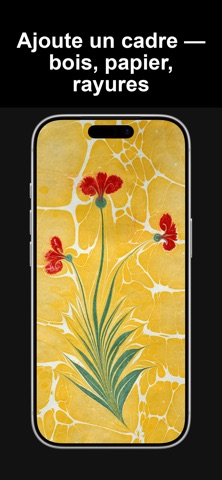
◆ Cadres personnalisés
Cartouche ottoman, passe-partout de musée, noir minimaliste, bord papier.
EBRU PRO
La version gratuite couvre l'essentiel. Ebru Pro débloque l'export 4K, la sauvegarde pleine résolution dans Photos et tous les cadres. Abonnement hebdomadaire / mensuel / annuel, résiliable à tout moment.
Conditions d’utilisation: https://www.apple.com/legal/internet-services/itunes/dev/stdeula/
Politique de confidentialité: https://apps.cihat.dev/ebru/privacy-policy/
Nouveautés (v3.5.0)
• Transformez n'importe quel calque : glissez pour le déplacer, pincez pour le redimensionner, tournez pour le faire pivoter, ou tirez une poignée pour l'étirer — avec repères, magnétisme et crans de 15°.
• Retournez un calque, calez-le à 45°, réajustez-le sur la cuve — puis continuez à dessiner dessus : les nouvelles gouttes tombent exactement là où vous les voyez.
• Panneau des calques repensé : renommer, dupliquer, fusionner vers le bas, verrouiller, effacer, ainsi qu'une gamme complète de modes de fusion et l'opacité par calque.
• Le papier peut désormais être désactivé — marbrez sur un fond transparent et exportez-le tel quel.
• Six nouveaux outils : Serpme, Hatip Çiçeği, Toplama, Girdap, Kılçık et Zikzak — les motifs classiques, chacun en un seul geste.
Merci de marbrer avec nous — que votre main reste sûre et vos Ebrus magnifiques.