Description
PROFESSIONAL SCREEN DIAGNOSTICS FOR YOUR iPHONE
Is your iPhone screen acting strange? Dead pixels? Touch not responding? Before visiting an Apple Store, test your display yourself with Screen Tester - the most comprehensive screen diagnostic tool available.
WHAT YOU CAN TEST:
Solid Color Tests
Display pure colors (white, black, red, green, blue, yellow, magenta, cyan) to detect stuck or dead pixels. The most effective method for finding screen defects.
Gradient Test
Check for color banding, uneven transitions, and display quality issues. Perfect for identifying OLED degradation.
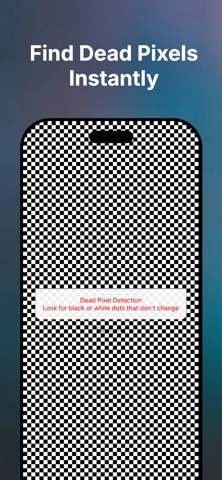
Dead Pixel Detection
High-contrast checkerboard pattern makes even the smallest dead pixels visible. Test every single pixel on your screen.
Burn-in Test
Detect OLED burn-in and image retention from status bars, navigation elements, or static content. Essential for used iPhone buyers.
Grid Pattern Test
Verify screen alignment, uniformity, and detect warping or distortion. Check if your screen sits properly in the frame.
Touch & Draw Test
Test touch responsiveness, accuracy, and detect dead zones. Draw patterns to verify smooth tracking across the entire display.
Screen Authenticity Guide
Learn how to check if your screen is an original Apple part. Step-by-step instructions for verifying genuine displays.
WHY CHOOSE SCREEN TESTER?
Professional Grade: Same tests used by technicians
Easy to Use: Simple, intuitive interface
No Ads: Clean, distraction-free testing
Privacy First: No data collection, works offline
Universal: Works on iPhone and iPad
7 Languages: English, Spanish, Italian, German, French, Chinese, Russian
Regular Updates: New features added frequently
PERFECT FOR:
Before buying a used iPhone
After screen repair or replacement
Checking warranty coverage
Documenting screen defects
Professional technicians
Quality control testing
iPhone resellers and refurbishers
HOW TO USE:
Choose a test mode
View in a dark room for best results
Look for inconsistencies, dead pixels, or touch issues
Document findings for warranty claims
IMPORTANT NOTE:
This app helps identify screen issues but cannot repair them. For screen repairs, visit an Apple Store or Authorized Service Provider. The app cannot definitively verify if a screen is original Apple hardware due to iOS security restrictions.
GET STARTED TODAY
Download Screen Tester now and ensure your iPhone or iPad display is working perfectly. Free to download with no hidden costs or subscriptions.
Nouveautés (v1.5)
Added several new tests and screens to help you check your display more thoroughly:
- Tap Game — a fast-paced dot-tapping game that doubles as a fun dead-pixel & touch-response check
- Flicker Test — spot PWM/refresh flicker at different speeds
- Notch & Sensor Housing Test — check alignment and symmetry around the notch/Dynamic Island
- Sunlight Readability Test — see how legible your screen is at max brightness
- Flashlight, Speaker & Multi-Touch tests
- Motion Sensors Test — accelerometer, gyroscope & magnetometer
- Tips & Tricks — quick advice to get more life out of your screen
- Device Info screen — battery, storage, and display specs at a glance
- New Settings screen — theme and language options, plus test history
Plus general performance improvements and bug fixes.