Description
Welcome to SnapMeal, the smartest AI calorie tracker and recipe organizer that turns your camera into a nutrition coach!
Snap a photo of your meal, get instant calories and macros — no manual logging required. Discover recipes, plan your week and shop smarter with SnapMeal's all-in-one food tracker!
SnapMeal is your complete kitchen companion, whether you're tracking calories for weight loss, building muscle or simply trying to eat better. Powered by AI food recognition, SnapMeal eliminates the tedious work of calorie counting. Just snap, log and go. Combine that with a built-in recipe book, weekly meal planner and smart shopping list — and you'll never wonder "what's for dinner?" again.
- AI-powered meal scanner — snap a photo, get instant calories and macros
- Calorie and macro tracker with personalized daily targets
- Import recipes from any website or Instagram in seconds
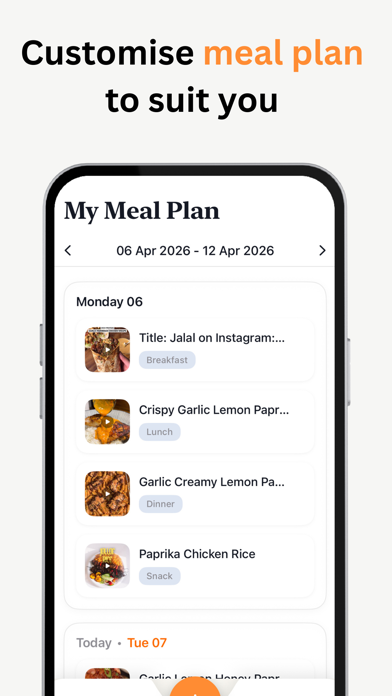
- Weekly meal planner to organize breakfast, lunch, dinner and snacks
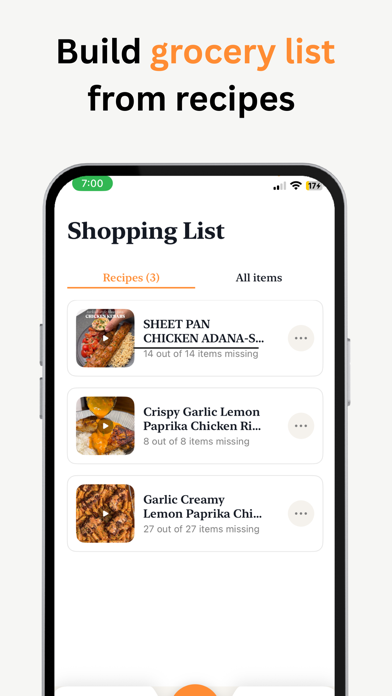
- Smart shopping list auto-generated from your recipes
- Recipe collections to save and organize your favorites
- Ingredient scanner — photograph what's in your fridge, get recipe ideas
- Daily streak tracking to build consistent healthy habits
- Personalized nutrition plan based on your goals, diet and activity level
- Health Score rating for every meal you scan
- Serving size scaler for any recipe
- Beautiful, distraction-free design
SnapMeal helps you eat better with 3 powerful tools:
1. AI Meal Scanner
• Snap a photo of any meal for instant calorie tracking
• Get a full macro breakdown — protein, carbs and fat
• See a Health Score (0–10) with personalized nutrition notes
• View detected ingredients for full transparency
• Log meals to your daily food diary in one tap
• No searching through databases — your camera does the work
2. Recipes & Meal Planning
• Import recipes from any URL — websites, blogs and Instagram
• Organize recipes into custom collections with emoji labels
• Weekly meal planner with drag-and-drop simplicity
• Scale servings up or down — ingredients adjust automatically
• Step-by-step cooking instructions for stress-free meal prep
• Discover new recipes by scanning ingredients in your fridge
3. Calorie Tracker & Shopping List
• Daily calorie and macro tracking with visual progress rings
• Personalized targets calculated from your goals, body and lifestyle
• Smart shopping list built directly from your meal plan
• Check off ingredients as you shop
• Track your daily logging streak to stay consistent
• Detailed daily food diary with meal-by-meal breakdown
Go Pro for the full SnapMeal experience.
Unlock advanced features that make healthy eating effortless.
• Unlimited AI meal scans
• Unlimited recipe imports
• Full access to the weekly meal planner
• Advanced macro and nutrition insights
• Priority access to new features
• Ad-free experience
• Support the SnapMeal team
Start your free trial today — no payment due upfront.
Eat smarter. Cook better. Reach your goals with SnapMeal!
Have ideas or feedback? We'd love to hear from you — contact us at hello@snapmeal.net to help make SnapMeal even better.
Terms of Use: http://terms-of-service.snapmeal.net
Privacy Policy: http://privacy-policy.snapmeal.net
Nouveautés (v1.0.2)
- Streaks on your log
We fixed the weekly streak bar so each day of the week (Monday through Sunday) lights up based on whether you were active that day. Before, a single day of activity could look like it was always on Monday because the bar filled from the left by count only. Now it matches how you actually used the app during the week.
- Onboarding
If your iPhone is set to Dark Mode, onboarding could mix light and dark styling and some text was hard or impossible to read (for example, very light text on white buttons). The whole onboarding experience now stays in a consistent light look so every step stays readable no matter your system appearance.
- Importing recipes
On the “Import recipes from” screen, the link option is now labeled “TikTok and Instagram Link” so it’s obvious you can paste links from both services, not only Instagram.
- Import from websites & blogs
When you open the in-app browser to find a recipe on the web, the controls at the top and bottom—including Back, Reload, Forward, and Open a Recipe to Import—now use colors and materials that work in Dark Mode. Previously, some of that chrome looked fine in light mode but was hard to see on a dark background.
- Meals you scan or open in detail
On meal confirmation, meal results after scanning, and meal detail, the top bar used fixed black icons on a dark background in Dark Mode, so back and other controls could disappear. Those screens now use your theme colors and subtle materials so navigation and the meal-type control stay visible.