Description
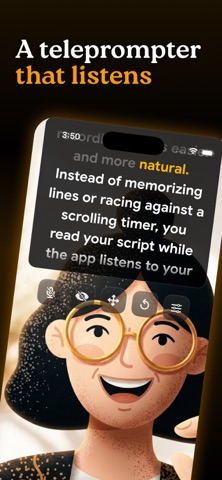
Scripttie is a teleprompter app for your phone that uses voice tracking to make recording videos easier and more natural. Instead of memorizing lines or racing against a scrolling timer, you read your script while the app listens to your voice and moves the text at your own pace. If you pause to breathe or add a thought, the script stops with you. When you start speaking again, it continues exactly where you left off.
This works for anyone who films short videos like TikToks, YouTube Shorts, or Instagram Reels, as well as longer content such as tutorials, online courses, corporate presentations, or LinkedIn updates. You keep your eyes on the camera lens the whole time, so your viewers see real eye contact instead of you looking down or off to the side.
The result? You sound like yourself. Your delivery feels real and connected. And most importantly, you finish the take with far fewer retakes.
HOW SCRIPTTIE IS DIFFERENT?
Most teleprompters scroll text on a fixed timer. If you speak faster or slower than the timer, or if you stop for even a second, you end up lost and have to start over. Scripttie solves that with real-time voice tracking.
Everything runs 100% on your device. The voice-tracking technology listens to you through your phone’s microphone, processes the audio locally in real time, and scrolls the script exactly as you speak.
No cloud servers. No internet connection required once the app is open. Your scripts, your voice recordings, and every video you make stay completely on your phone. You focus on delivering your message naturally, and the script stays perfectly in sync.
HOW TO GET STARTED?
Paste Your Script: Open the app, drop in your script and hit Present.
Set Your Layout: Quickly adjust the text size, box width, and background transparency so it’s comfortable for your setup and you can still see your framing.
Start Recording: Use the built-in recorder for a seamless, all-in-one experience.
Start speaking: The script follows your pace perfectly, speeding up when you do, slowing down for emphasis, and waiting patiently when you pause.
No extra apps to switch between. No accounts to log into. No data leaving your phone.
WHO IS SCRIPTTIE FOR?
Scripttie is built for the people who film professional content every day:
> Social media creators who need to sound confident and authentic while filming.
> Business professionals making presentations, client updates, or internal training videos.
> Educators and coaches recording tutorials or lessons.
> Anyone who wants fewer retakes and more consistent results.
WHAT’S INCLUDED?
> Voice Tracking That Listens to You
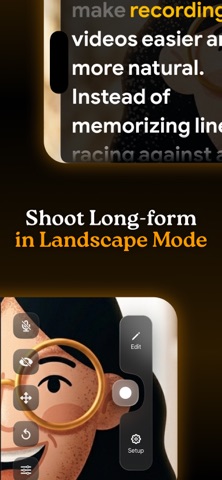
> Built-in HD Recorder
> Eye Contact That Feels Natural
> Overlay You Can Actually Customize
SIMPLE PRICING
Scripttie gives you a clear choice so you only pay for what you need:
Monthly plan: $5.99 per month – flexible plan to explore Scripttie Pro.
Lifetime plan: $39.99 one-time payment, pay once and use it forever, with every future update included at no extra cost.
No hidden fees, no complicated tiers. Choose the monthly plan if you want to try it out first, or go with the Lifetime plan and never think about payments again. Whichever option you pick, everything stays processed on your device and completely private.
ELIMINATE RETAKES & BOOST PRODUCTIVITY
If you’ve ever wished your teleprompter would just listen to you for once, give Scripttie a try. Open the app, drop in your script, hit record, and talk like the camera is an old friend. You’ll see the difference in your very first video.
Download Scripttie today and experience the power of a teleprompter that actually listens to you.
Terms of Use (EULA): https://www.apple.com/legal/internet-services/itunes/dev/stdeula/
Privacy Policy: https://scripttie.com/privacy-policy
Nouveautés (v1.5)
Faster Voice Tracking
We’ve completely rebuilt our voice-tracking engine from the ground up! The teleprompter now responds to your voice instantly, eliminating lag so the text scrolls smoothly and naturally at your exact speaking pace.