Description
MarkdownViewer is a distraction-free reader for .md files on iPhone
and iPad. Open a file from Files, AirDrop, or a shared link; or sync
an entire documentation repository from GitHub and read it offline.
Just exploring? The app ships with a curated library of example
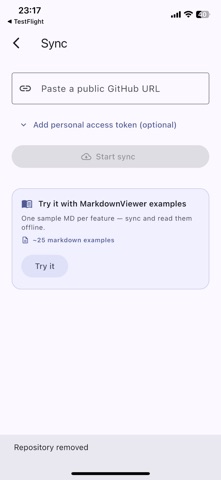
documents covering every feature below — sync it with one tap from
the "Try it" card on the library screen.
RICH RENDERING
• Full CommonMark + GitHub Flavored Markdown
• Mermaid diagrams rendered inline
• LaTeX math (inline and display) via KaTeX-compatible engine
• Syntax-highlighted code blocks across 190+ languages
• GFM tables, task lists, footnotes, strikethrough
• GitHub-style admonitions (NOTE, WARNING, TIP, CAUTION)
READING COMFORT
• Material 3 design with light, dark, and sepia themes
• Adjustable font size, reading width, and line height
• Immersive scroll — the app bar fades away as you read
• Table of contents drawer with one-tap navigation
• In-document search with match counter
• Reading-position bookmark — resume exactly where you left off
• Keep-screen-on toggle for long-form reading
• Reading time estimate
BRING YOUR OWN DOCS
• Sync any public GitHub repository with a single URL
• Private repos supported via a personal access token (stored in
the iOS Keychain — never in the app's database)
• Incremental re-sync — only changed files download
• Re-sync or remove a synced repo from the drawer
EXPORT AND SHARE
• Export any document to PDF with mermaid diagrams preserved
• Share the raw markdown or a rendered PDF via the system share sheet
PRIVACY BY DESIGN
• No accounts, ever
• Zero telemetry by default
• Crash reporting is opt-in and excludes document content, file
paths, and tokens
• The only network traffic is to GitHub when you explicitly sync
Made in the open on GitHub. Licensed under Apache-2.0.
Nouveautés (v1.3.0)
Added a Collapse All button next to the library search bar — close every expanded folder in the tree with a single tap.
You can now rename folder and GitHub repository sources. Long-press a source and choose Rename to give it a shorter, friendlier label that fits the drawer.
Renamed sources update everywhere instantly — drawer, library title, search results — without needing to reopen the app.