Description
Wait. What? is a daily accountability app for distracted, busy, and easily-overwhelmed brains.
Most task apps assume you'll remember to open them, stay motivated, and won't spiral if you miss a day. This one doesn't.
GET TASKS OUT OF YOUR HEAD
Hold to record — speak a task and AI parses it instantly
Photograph your notebook — Quick Scan turns handwritten lists into tasks
"Hey Siri, add to Wait, What?" — Siri Shortcuts support
Brain Dump anything — it's your inbox for every loose thought, errand, and someday idea. Sweep Mode helps you triage it one note at a time, no overwhelm
STAY ON TOP OF TODAY
"What should I do right now?" gives you one answer, not a list
Overdue tasks stay visible — they don't vanish and guilt you from the shadows
Reminders follow up until something is done, not just once
Streaks forgive one miss per week, because life happens
The focus timer (10, 20, or 45 minutes) lowers the bar to starting
Partial days are celebrated, never penalized
BILLS, WITHOUT THE DREAD
A dedicated Bills section tracks monthly payments separately from your tasks. Set due dates and amounts, get a gentle heads-up before each bill arrives, and mark them paid — without it messing up your streak or your focus score. Import from DUE, Apple Reminders, or any CSV.
YOUR YEAR AS A STAR MAP
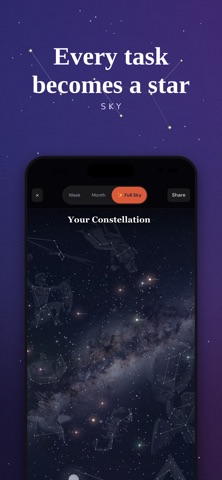
The Sky view turns your task history into a personalized galaxy — every completion becomes a star, shaped by what you finished, when you did it, and how hard you pushed. Your sky is unique to you. Capture special moments by attaching a photo to a completion. Watch shooting stars when you hit milestones.
WEEKLY STORY MODE
Instead of a dashboard of numbers, see your week as a story — Focused, Heavy, Comeback, Scattered, or Quiet. One headline. A few beats. The whole picture: tasks, bills, focus sessions, notes. A mirror, not a report card.
WORKS EVERYWHERE YOU DO
Apple Watch — glance at your complication or quick-capture tasks from your wrist
Apple Calendar + Google Calendar sync — see your tasks alongside your events
Apple Reminders bidirectional sync — changes flow both ways
iPad layout — full responsive design
YOUR KIND OF WIN
Pick how the app celebrates with you: confetti, a hype coach, a sarcastic nemesis who's furious you actually finished, or a micromanager convinced you could've done it faster. Choose from 7 themes.
BETTER TOGETHER
Body-doubling works. Invite a partner, housemate, or friend — see who's focusing in real time, start a shared session, send nudges, and chat without leaving the app. Share tasks and track each other's progress. No leaderboards. No shame.
HONEST BY DESIGN
No streaks that break at midnight. No overwhelming dashboards. No all-or-nothing scoring. Deleted tasks can be restored. Just a calm, structured place to show up.
Built for people who need a little external structure to get things done.
Nouveautés (v4.4)
This one's all about your Apple Watch.
- Checking off a task on your watch now always counts — even if the app on your phone is closed. Your check-off waits patiently and lands the next time your phone catches up.
- Multi-dose tasks (like meds you take 3x a day) now check off correctly from your watch, one dose at a time.
- "All done!" on the watch now means actually all done — longer task lists no longer get cut short.
- Pausing the timer on your watch now pauses it on your phone too. They finally agree.
- A fresh coat of paint: the watch app and watch face complication now match the app's look — warm coral and gold, with your category colors on every task.
Also in this update:
- The Quick Capture widget button now reliably opens voice capture.
- Tasks you've excused with "Not today" no longer linger on the widget.
- Fixed adding a reference photo to a task.