Description
Tired of shoehorning Safari, Chrome, or Edge into a "kiosk" with seventeen workarounds and a prayer? Same.
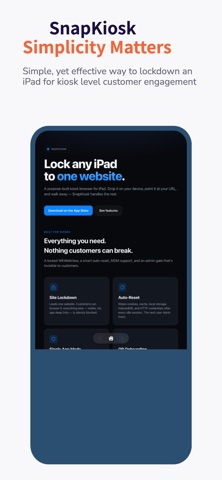
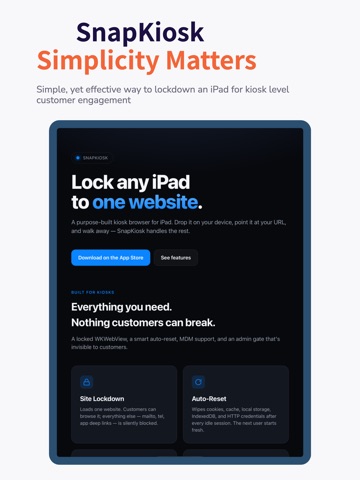
SnapKiosk is a purpose-built kiosk browser for iPad. One website. Locked to it. No address bar. No "Search Web" callouts. No mailto: escape hatches. Just your site, full-screen, exactly the way a real kiosk browser should work.
Built by a frustrated Intune admin who finally got tired of bumping into walls — turns out the browsers everyone tells you to use weren't designed for this. SnapKiosk was.
WHAT IT DOES
• Loads one URL on launch and stays there
• Auto-resets between users — wipes cookies, cache, local storage, IndexedDB, and HTTP credentials so the next person starts clean
• "Still there?" warning before reset, so users mid-task aren't surprised
• Floating Back / Home / Forward, no other browser chrome
• Hidden admin gate — tap the four corners clockwise + PIN, invisible to customers
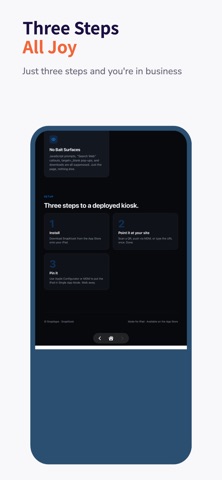
• QR onboarding — generate one config QR, walk it to every iPad
DEPLOY HOW YOU LIKE
• Single device — type the URL, set a PIN, walk away
• Through MDM — Intune (yuck), Jamf, Mosyle, Kandji, Workspace ONE, JumpCloud, anything that speaks Managed App Configuration
• Pair with Apple Configurator + Single App Mode to fully pin the iPad
WHO IT'S FOR
Self-service check-in, donation kiosks, info displays, registration portals, retail product browsers — anywhere you'd otherwise stand a tablet running a regular browser and hope nobody pokes at it.
Made for iPad. Built for iPadOS. Not designed by a giant tech company that thinks "kiosk" is a checkbox.
Nouveautés (v1.1)
This release focuses on resilience and fleet visibility.
• When the homepage can't load — bad network, expired SSL, renderer crash — the kiosk now shows a clear error screen with a Retry button instead of a blank page, and auto-retries in the background.
• New Settings → Diagnostics captures crashes and hangs via MetricKit, so admins can review on-device or pull diagnostics.json over MDM.
• New Settings → Raw MDM payload inspector shows exactly what your MDM delivered — invaluable for debugging Intune / Jamf / Mosyle deployments.
• Lockscreen branding fields (title, subtitle, logo, colors) now visible read-only in Settings when MDM-managed.
• Attract and error screens auto-contrast text against any background color you push.
• Last-loaded-URL beacon written to UserDefaults so MDM tools can monitor fleet state.
• "Still there?" countdown ring now honors your configured warning window instead of clamping at 30 seconds.