Retour aux promos
MapShift: Map Link Opener

Utilitaires

3,99 €

MapShift: Map Link Opener

par DAVID ALAN STEPHENS

v1.0 3 Mo Universel 4+

Description

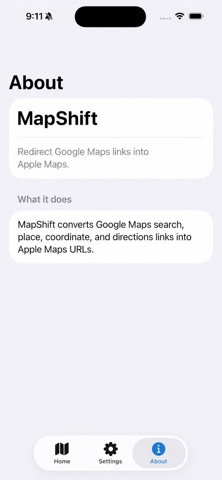
MapShift makes it simple to open map links in Apple Maps instead of being stuck copying, pasting, or switching between apps.
MapShift helps move that location into Apple Maps so you can get directions faster and keep using the navigation app you prefer.

Features:
• Quickly redirect supported map links
• Open locations in Apple Maps
• Simple, lightweight, and easy to use
• No complicated setup
• Built for people who prefer Apple Maps for everyday directions

Whether a friend sends you a restaurant, business, address, or destination, MapShift helps you get moving without the extra hassle.

MapShift is designed to do one thing and do it cleanly: help you shift map links into Apple Maps.

MapShift does not require sign-in or a user account.

To set up the Safari extension:

1. Open Safari and go to google.com.
2. Search for a location or business, such as “Apple Store.”
3. Tap the Safari page menu button near the bottom address bar.
4. Tap Manage Extensions.
5. Enable MapShift.
6. Return to the Google results page.
7. Tap the Safari page menu button again.
8. Tap MapShift from the extension list.
9. When prompted, allow MapShift access to the website.
10. Select Always Allow, then confirm by choosing Always Allow on This Website or Always Allow on Every Website.
11. Tap Directions on a Google location result.
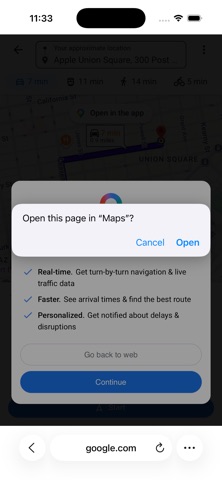
12. If prompted with “Open this page in Maps?”, tap Open.
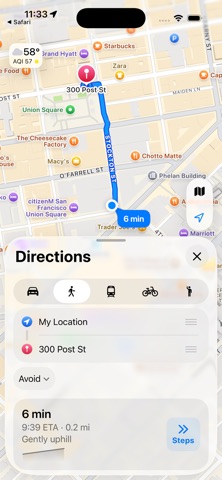
13. Apple Maps will launch with the destination.