Description
Album covers are art — and Tada CoverArt is where you discover them, vote for them, and keep them.
EXPLORE — NO APPLE MUSIC NEEDED
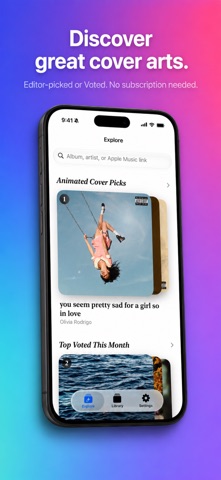
Open the app and go straight to Explore. No subscription, no library, no sign-in. Browse curated Animated Cover Picks, see the monthly Top Voted charts the whole community shapes, search any album, or paste an Apple Music link.
VOTE — YOUR TASTE, SEEN BY EVERYONE
Found a cover you love? Upvote it. The monthly Top Voted rail is built from everyone's votes, so the covers you champion get seen across the community.
SAVE — ANIMATED & HIGH-RES
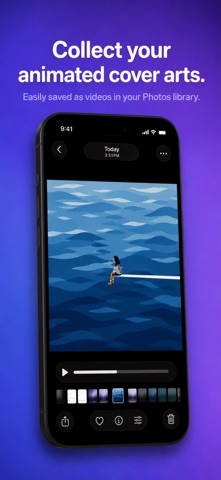
Save animated album covers to Photos as a video or Live Photo, or grab the static artwork in stunning high resolution — up to the album page's highest-res source.
YOUR LIBRARY, IN COVERFLOW (optional)
Connect Apple Music to browse the albums you've saved in a beautiful 3D CoverFlow — reflections, haptics, infinite scroll.
STAY IN THE LOOP
Turn on notifications to know the moment fresh picks or a new monthly chart land.
ALSO
• Home Screen widget
• Search and open Explore with Siri and Shortcuts
• "Open in Tada CoverArt" from any Apple Music link
• No sign-up — your votes and saves are anonymous
Nouveautés (v3.0)
Tada CoverArt 3.0 — our biggest update ever!
• NEW Explore tab — no Apple Music subscription, no library, no sign-in. Just open and start discovering animated covers!
• Monthly Top Voted — upvote the animated covers you think look great and rank them on the community chart. Your pick, seen by everyone!
• Curated Animated Cover Picks — hand-picked and gorgeous
• New notifications — we'll nudge you the moment fresh picks or a new monthly chart land
• Home Screen widget, plus search & open Explore with Siri and Shortcuts
• Smoother, faster artwork loading
…and the CoverFlow library and one-tap saving you already love are right where you left them