Retour aux promos
Help Hear: Sound Amplifier

Utilitaires

2,99 €

Help Hear: Sound Amplifier

par bobo pei

v1.0 7 Mo Universel 12+

Captures d'écran

Description

Listen to nearby sounds through your headphones with Help Hear. Your iPhone or iPad microphone picks up the sound around you, and on-device audio processing adds amplification, background noise reduction, and voice enhancement.

SIMPLE LIVE LISTENING
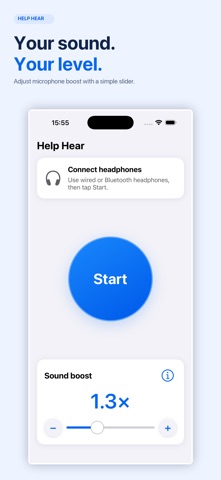
Connect wired or Bluetooth headphones, tap Start, and place your device near the sound you want to hear. A large button makes it easy to start and stop.

ADJUST THE SOUND BOOST
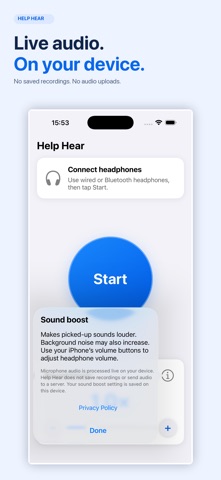
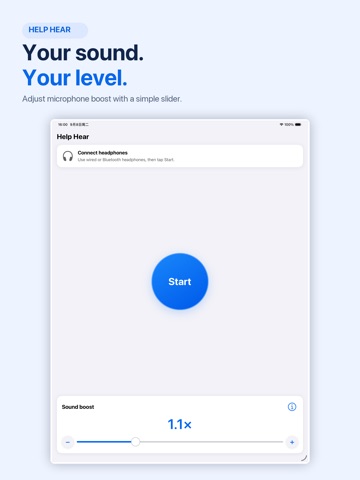
Use the slider or plus and minus buttons to adjust microphone amplification from 0 to 4x. Your preferred setting is saved. Headphone volume remains separate: use your device’s volume buttons for a comfortable listening level.

AUTOMATIC AUDIO PROCESSING
Noise reduction and voice enhancement work automatically while you listen. There are no complicated presets to configure. Results depend on your surroundings, microphone placement, and headphones; background noise may still be audible.

PRIVATE BY DESIGN
Audio is processed live on your device. Help Hear does not save recordings, upload microphone audio, require an account, or include ads or subscriptions.

DESIGNED FOR EVERYDAY USE
• Wired and Bluetooth headphone output
• Built-in device microphone input
• Large controls, VoiceOver labels, and Dynamic Type support
• Light and dark appearances
• Background listening while an active audio session continues

HEADPHONES REQUIRED
Help Hear amplifies nearby microphone input. It does not increase the volume of music, videos, phone calls, or other apps. Bluetooth introduces a delay; wired headphones may provide a more immediate listening experience. Begin with a low headphone volume and adjust gradually.

Help Hear is a general-purpose sound amplification tool. It is not a medical device and is not intended to diagnose, treat, or replace professionally fitted hearing aids. Do not use it for safety-critical listening or to listen to others without their permission.

Support: https://imvbird.com/support/
Privacy Policy: https://imvbird.com/privacy/
Terms of Service: https://imvbird.com/terms/