Retour aux promos
Acumatica

Affaires

Gratuit

Acumatica

par Acumatica Inc.

v26.073.0 117 Mo Universel 4+

Captures d'écran

Description

An Acumatica license is required to use this app.

Acumatica Cloud ERP Software enables small and mid-sized businesses to access financials, inventory, sales, purchases, and more from any web browser on any device. This allows your entire workforce to get real-time data and manage business processes using iPhone or iPad.

Key Features:
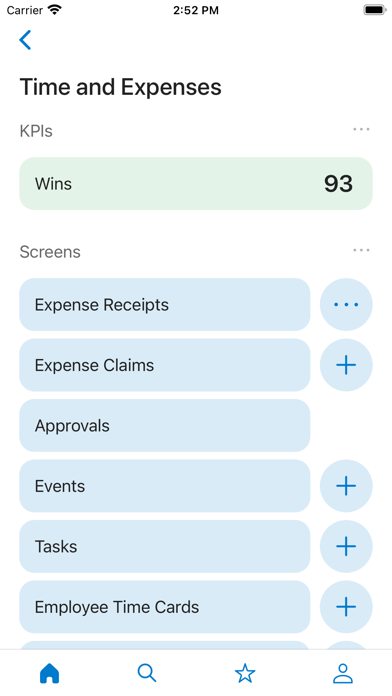
• Expense receipts and claims: submit new expenses using the camera on your device to photograph receipts. View submitted expense claims to see if they have been approved.
• Reports and dashboards: view real-time reports and dashboards.
• Time cards: enter time sheets and follow up on tasks.
• Approvals: review and complete approvals in just a few clicks.

Role Specific Features:
• Support: create and work on cases including adding pictures with your camera and taking notes using voice to text.
• Sales: manage contacts, your opportunity pipeline, create sales orders, and check order status.
• Purchasing: manage purchase orders and receipts
• Field services: perform daily appointment work including driving directions, taking notes using voice to text, entering inventory, lookup past appointments, recording time, taking pictures from the job site, and more.

Extensible:
• Developers, partners, and ISVs can create new applets without programming skills so users can access any data or Acumatica screen function.

Cost:
The Acumatica mobile app is available at no extra cost for Acumatica customers. Download the app, login, and begin accessing features.

Nouveautés (v26.073.0)

- Currently running timers for project tasks can now be viewed as Live Activities on the lock screen and in the notification area.
- Duration values are now displayed differently from time values to improve clarity.
- The app no longer crashes when third-party screen mirroring applications are used.
- The main menu now loads faster for all users.
- Automatic detection of document borders after taking a picture has been temporarily disabled to prevent the app from crashing on certain iPhone models.