
Health & Fitness
Alphatrak
par Zoetis Inc
Gratuit
Prix actuel — pas de promo en cours
Captures d'écran


Description
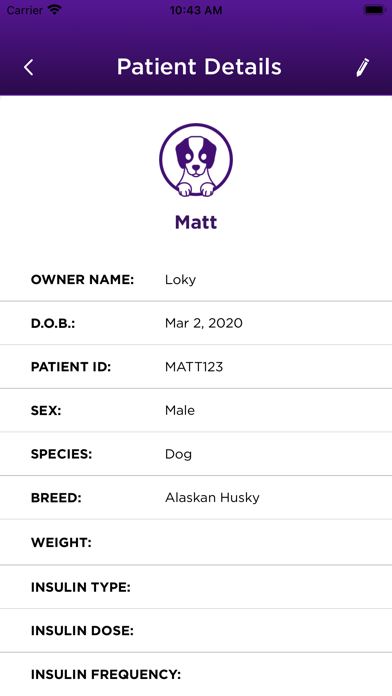
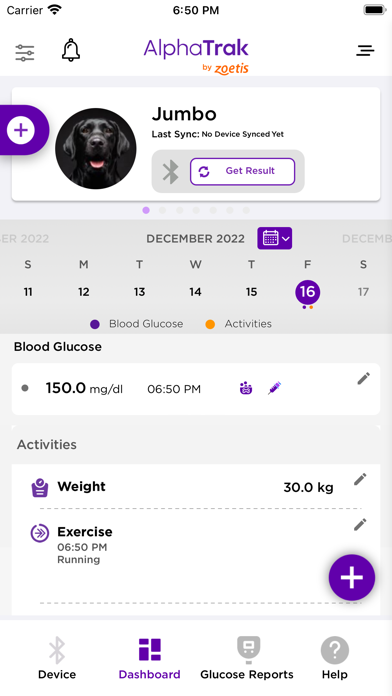
AlphaTrak 3 is a highly accurate Blood Glucose Monitoring
System validated for dogs and cats.
The AlphaTrak App is designed for pet owners and
veterinary professionals and will allow you to:
- Automatically capture glucose results
- Record daily activities, such as time of insulin
injection, feeding, weight, etc.
- Set reminders
- Share glucose reports and curves with your
veterinarian
- Veterinarians can connect the App to their Practice
Management Software and have access to the
AlphaTrak Webapp: alphatrak.zoetis.com
US Support:
Email address: dxsupport@zoetis.com
Phone number: 1-888-963-88471
UK Support:
Email address: vetscansupportUK@zoetis.com
Phone number: +44 0345 300 8034
All other Intl. markets: Please contact the supplier of this device.
System validated for dogs and cats.
The AlphaTrak App is designed for pet owners and
veterinary professionals and will allow you to:
- Automatically capture glucose results
- Record daily activities, such as time of insulin
injection, feeding, weight, etc.
- Set reminders
- Share glucose reports and curves with your
veterinarian
- Veterinarians can connect the App to their Practice
Management Software and have access to the
AlphaTrak Webapp: alphatrak.zoetis.com
US Support:
Email address: dxsupport@zoetis.com
Phone number: 1-888-963-88471
UK Support:
Email address: vetscansupportUK@zoetis.com
Phone number: +44 0345 300 8034
All other Intl. markets: Please contact the supplier of this device.
Nouveautés (v1.4.2)
New Features and Enhancements
- Enhanced Result Tagging (Clinic Users)
Clinic users now see a more detailed tagging popup with options such as After Meal, After Insulin Injection, and Control Test.
- Glucose Trend Graph Pop-up
A new message explains how to zoom or scroll in the Glucose Trend Graph for easier navigation.
- App Version Display
The current app version now appears at the bottom of the hamburger menu for quick reference.
- Edit Email Feature
Users can now update their registered email directly from the Edit Profile screen. Includes warning pop-ups, verification steps, and a required logout after successful update.
- Category-Based FAQ Listing
FAQs are now grouped by category, improving navigation and making answers easier to find.
- Saved Bluetooth Device Information
The app now saves paired meter Bluetooth details to the server, so users no longer need to re-pair their device after logging out and back in.
- Enhanced user interface alignment on Android and iPhone.
The app looks similar between both interfaces.
- Enhanced Result Tagging (Clinic Users)
Clinic users now see a more detailed tagging popup with options such as After Meal, After Insulin Injection, and Control Test.
- Glucose Trend Graph Pop-up
A new message explains how to zoom or scroll in the Glucose Trend Graph for easier navigation.
- App Version Display
The current app version now appears at the bottom of the hamburger menu for quick reference.
- Edit Email Feature
Users can now update their registered email directly from the Edit Profile screen. Includes warning pop-ups, verification steps, and a required logout after successful update.
- Category-Based FAQ Listing
FAQs are now grouped by category, improving navigation and making answers easier to find.
- Saved Bluetooth Device Information
The app now saves paired meter Bluetooth details to the server, so users no longer need to re-pair their device after logging out and back in.
- Enhanced user interface alignment on Android and iPhone.
The app looks similar between both interfaces.