Description
Miuu Note: Private Cute Diary & Journal With Lock
Miuu Note is a secure, aesthetic journaling app designed for self-care, daily reflection, and emotional awareness. Whether you’re looking for a private space to express your feelings or a mood tracker with lock, Miuu Note helps you stay mindful every day.
Key Features:
▸ Private Diary With Lock: Keep your journal secure with passcode or Face ID. Your personal thoughts stay safe and lockable — just for you.
▸ Mood Tracker With Stickers: Track how you feel each day using cute, expressive mood stickers. Add multiple moods to decorate your entries.
▸ Habit & Goal Planner: Create themed notebooks for habits, goals, or self-care reflections. Stay organized and intentional.
▸ Aesthetic Customization: Choose pastel, soft, or dark themes. Personalize your space with backgrounds, icons, and notebook covers that match your vibe.
▸ Calendar View: View your daily logs, emotional trends, or streak progress with a clean and easy-to-use calendar.
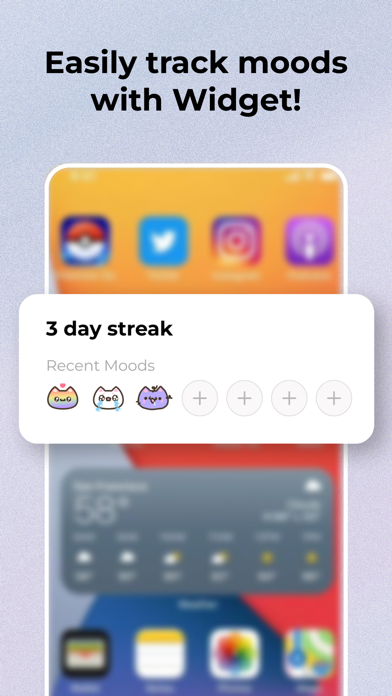
▸ Home Screen Widget: Quickly log moods and track your journaling streaks — right from your iOS home screen.
▸ Cloud Backup: Sync with iCloud or Google Drive to back up your diary and restore it on any device, anytime.
▸ Dark Mode: Enjoy a soft, low-light writing experience perfect for evening reflection.
Use Miuu Note for:
▸ Private, secure journaling
▸ Mood tracking and mental wellness
▸ Daily planning and habit tracking
▸ Emotional self-reflection
▸ Building calm, mindful routines
Start your private journaling journey today with Miuu Note — the cutest diary app with lock. Secure, safe, and beautifully designed for your mental well-being.
Terms of Use: https://www.apple.com/legal/internet-services/itunes/dev/stdeula/
Nouveautés (v3.4.0)
Album
All the photos from your diary entries are now in one place.
• Open Album from the Journals screen to view every image you've added to a note
• Photos are displayed in a scrollable grid, sorted by newest entries first
• Tap any photo to view it fullscreen
• Pinch to zoom, double-tap to switch between fit and 2.5× zoom, and swipe through all photos
• Each photo displays the entry title and date
• Tap the overlay to jump directly to the original note