Description
Health Export Kit turns your Apple Health data into portable files you actually own.
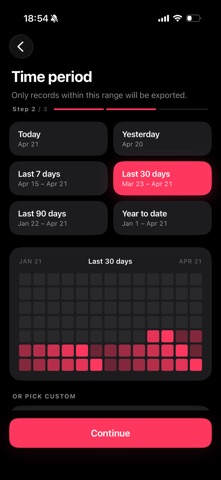
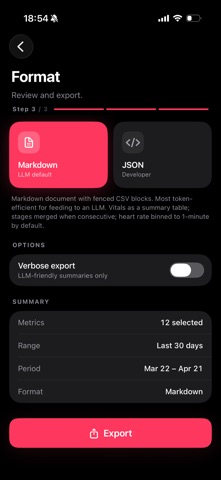
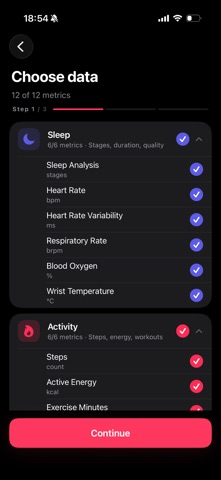
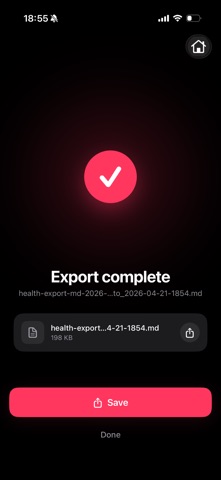
Pick the categories you want — sleep, activity, workouts, heart rate, HRV, blood oxygen, respiratory rate, Apple Watch wrist temperature, steps, energy, exercise minutes, distance, flights climbed. Pick a date range. Pick Markdown or JSON. Tap Export. You get a clean, human-readable file that's ready for Files, iCloud Drive, AirDrop, email, spreadsheets, or pasting into an LLM for analysis.
Everything runs on-device.
— No account. No sign-in. No cloud.
— No analytics. No advertising. No tracking.
— No third-party SDKs.
— No network requests, ever.
Your Health data never leaves your iPhone unless you decide to share the file, and you choose exactly where it goes.
Why Markdown and JSON?
— Markdown is token-efficient and designed to paste into LLMs that need your context.
— JSON is clean, compact, and built for spreadsheets and custom pipelines.
What's inside an export:
— Sleep: sessions, stages, duration, efficiency, per-stage averages for heart rate, HRV, respiration, SpO2, and wrist temperature; plus full per-minute streams if you want them.
— Activity: daily summaries for steps, active energy, exercise minutes, walking/running distance, flights climbed.
— Workouts: detailed sessions with heart rate, power, cadence, distance, splits, events, and routes (when your Apple Watch captured them).
Designed for people who:
— want a local backup of their Health data they can keep forever.
— want to feed their own data into an LLM instead of handing it to a third-party service.
— want spreadsheet-ready rows without wrangling a 2 GB XML export from apple.com.
— simply want to own their data.
Requires iOS 17+ and HealthKit. iPhone only.
Nouveautés (v1.0.15)
Sleep exports now include totals for each sleep stage, awakening counts, and sleep efficiency. The exporter also handles gaps and partial in-bed periods more accurately.