Description
Run Python on your iPhone or iPad, with nothing sent to a server.
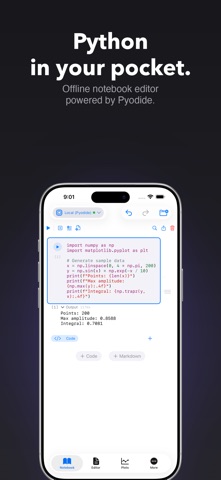
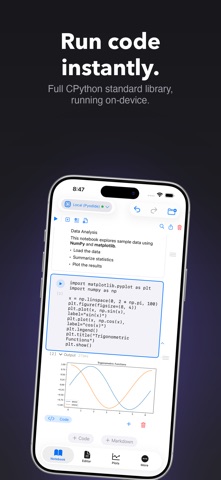
Pyodios gives you a nearly real Python workspace: Jupyter notebooks, a script editor, an interactive REPL, plots, package management, and a variable inspector, all running on-device. NumPy and matplotlib come pre-loaded. Install pandas, scikit-learn, Plotly, and hundreds of other WebAssembly compliant packages from PyPI with a tap.
Feature highlights:
- Jupyter-compatible .ipynb notebooks with code and markdown cells
- Python script editor with syntax highlighting, folding, and snippets
- REPL with history, search, and code completion
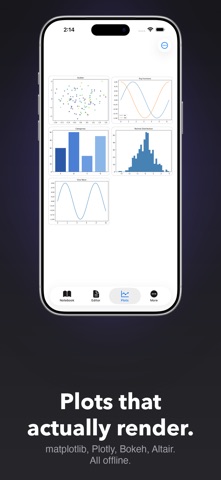
- Static matplotlib plots and interactive Plotly, Bokeh, and Altair charts
- Environment panel with DataFrame viewer, variable diff, and watch list
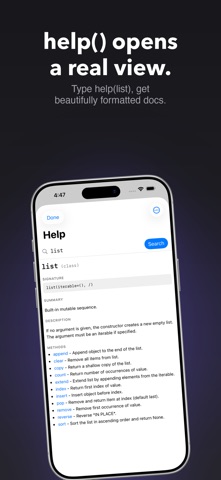
- Offline Help view with search
- Files browser with iCloud Drive sync
- Package installer powered by micropip with offline wheel caching
- Remote Jupyter kernel support (token, password, or SSH tunnel) [experimental]
- Nine built-in color themes plus a theme editor
- iPad multi-pane workspace
Your code, notebooks, variables, and plots stay on your device. No account. No sign-in. No telemetry on your work. Works offline once Pyodide has initialized and packages are downloaded.
Powered by Pyodide, Python in WebAssembly. Not affiliated with the Pyodide or Python project. Python is a trademark of the Python Software Foundation.
Nouveautés (v1.1.0)
New in this update
Python 3.14
- Pyodios now runs Python 3.14.2 on the Pyodide 314.0.5 WebAssembly runtime, up from Python 3.13.2 on Pyodide 0.29.3.
- Previously installed packages need to be re-downloaded for Python 3.14 compatibility.
- The first time you open this version, Pyodios will clear old packages and attempt to reinstall them automatically. An internet connection is required.
- You can defer this from Settings under Python Session.
Editor
- Rename File has moved to the Editor's File menu.
- Scripts and cells can declare dependencies using PEP 723 inline metadata.
- Missing packages are detected at run time and offered with an Install button. Execution pauses while you decide.
Graphing
- Fixed a bug that could drop a plot from the Plots gallery.
- Interactive Plotly charts now render without a connection.
- Plotly v4 is bundled inside the app, so charts no longer fetch Plotly from the web each time they render.
Startup Experience
- Cached packages now load without the network. Opening the app in airplane mode no longer waits on a request that cannot succeed.
- If Python fails to start, the startup screen now suggests quick remedies based on the error.
- A pre-filled GitHub Issues link is now available on the startup screen alongside the Email Support option.
- With your permission, it includes device, system, and runtime versions along with the tail of the startup log, just like Email Support.
- Nothing leaves your device unless you submit it.
Notebooks
- Inline math in markdown cells now renders properly.
- Rich output like DataFrame tables now expands to its actual size in notebook mode.
- Renaming a notebook on iPhone now works from the Notebook actions menu.
Themes
- Import and export custom themes from Settings under Appearance. Swipe right on a custom theme to share it.
General Fixes
- Running code after the screen locks and unlocks no longer triggers an evaluation error.
- Jupyter Remote Kernels now carries a visible beta tag.
- The Console input row is no longer hidden behind the Python keyboard.
Requirements
- This version requires iOS 26 or iPadOS 26.