Description
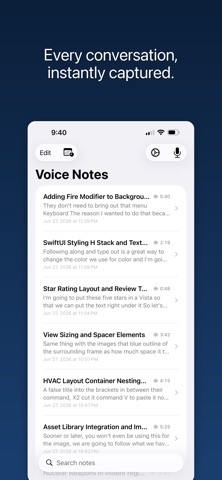
IA Voice Notes — Notes that listen
Capture every word, hands-free. IA Voice Notes transcribes your meetings and conversations in real time using Apple's on-device speech engine — no subscription, no cloud, no data leaving your device.
AI that works while you record
Choose a recording mode — Meeting, Interview, Lecture, Sales Call, and more — and let the built-in AI detect action items, flag key terms, and surface what matters as you speak. A summary is ready the moment you stop. Ask follow-up questions about any note with the built-in Q&A.
10 built-in recording modes
General, Meeting, 1:1, Sales Call, Interview, Customer Research, Lecture, Brainstorm, Podcast, Journal — each pre-configured with the right AI features for that context. Build your own custom modes too.
Real-time transcription
Watch your words appear as you speak. Transcripts are saved with timestamps so you can jump to any moment in the recording.
Attach as you go
Snap a photo of a whiteboard, scan a document, or jot a quick text note — all attached directly to your recording at the exact moment they were captured.
Timeline view
See your transcript, photos, scans, and AI results laid out in order, with natural spacing that reflects the rhythm of your conversation.
Scheduled recordings
Set recurring or one-time recording schedules. IA Voice Notes opens automatically and starts recording — great for standing meetings. Works with Siri Shortcuts for full automation.
Export anywhere (Pro version)
Share your notes as Markdown or self-contained HTML, bundled with the audio file. Open in Obsidian, Notion, or any editor that handles Markdown.
Privacy first
All transcription happens on your device using Apple's Speech framework. AI analysis uses your own API key — Anthropic Claude or OpenAI GPT — and goes only to the provider you choose. Your recordings never leave your phone unless you share them.
Requires iOS 17. Transcription quality depends on Apple's on-device speech recognition for your language.
Nouveautés (v1.3)
Recording Modes
Choose from 10 built-in modes — General, Meeting, 1:1, Sales Call, Interview, Customer Research, Lecture, Brainstorm, Podcast, and Journal. Each mode comes pre-configured with AI features tuned for that context. Create and customize your own modes too.
Smarter AI During Recording
AI detections now surface the key term right in the panel, so you can scan results at a glance without opening each one. Enable Auto-save and every detection is automatically attached to your note as it happens. Need a feature you didn't add before the session? Open the Feature Library and add it mid-recording.
Browse Notes While Recording
Flip back to your notes list to reference an earlier note — recording keeps running in the background without interruption.
Scenario Picker
Tell the app where you are — Solo, Office, Team, or Conference — and silence detection automatically adjusts to your environment.
Bug Fixes
- Pinch-to-zoom in the photo viewer now supports panning while a recording is active
- Fixed a transcript stall that could cause live AI features to stop updating
- Fixed interval summaries not running on schedule
- Fixed a ghost mode appearing after duplicating and cancelling a mode edit