Description
Mobile Print Plus for brother is application of brother Print SDK for printers of Brother Industries, Ltd.
Print web pages and files to Brother printers from iPad/iPhone with Moble Print Plus for Brother.
A connection method is wireless LAN or Bluetooth.
[Keyfeatures]
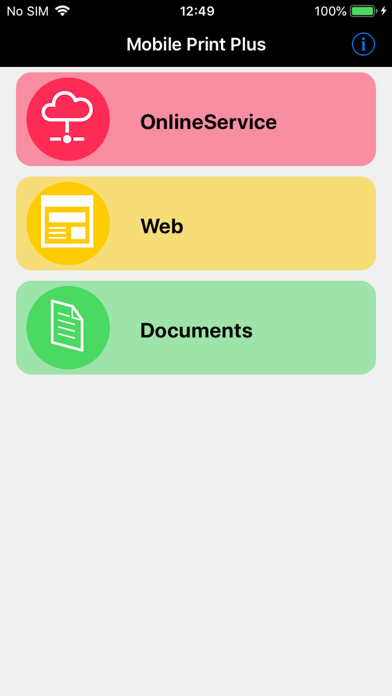
- Print files from iPad/iPhone
Supported file formats: PDF(The encryption PDF is un-corresponding)(*1), JPEG(*2)
- Print the file is being saved to the online service(*3)
Supported online service:Dropbox
Supported file formats: PDF(The encryption PDF is un-corresponding), JPEG(*2)
- Print web page(*3)(*4)
Web authentication is not supported. (SSL, Digest, Basic)
- Print preview
- Printer Setup
(*1) In addition to PDF in application, a PDF file can also be received and printed from other applications using an Open In function.
(*2) RJ-3035B and RJ-3055WB do not support JPEG printing.
(*3)At the time of Adhoc connection, when it is a model without 3G or LTE, Web connection cannot be performed.
(In the case of Wi-Fi model, printer and Internet connection simultaneously is not possible.)
(*4)HTTP connection not supported. HTTPS connection support.
Printers Supported
<Brother Industries, Ltd>
・PJ-773 (Ad-hoc mode, infrastructure mode, Wireless Direct mode)
・PJ-763MFi (Bluetooth)
・PJ-673 (Ad-hoc mode, infrastructure mode)
・PJ-883 (infrastructure mode, Wireless Direct, Bluetooth)
・PJ-863 (Bluetooth)
・PJ-862 (Bluetooth)
・MW-145MFi (Bluetooth)
・MW-260MFi (Bluetooth)
・RJ-4040 (-hoc mode, infrastructure mode)
・RJ-4030Ai (Bluetooth)
・RJ-3150 (Ad-hoc mode, infrastructure mode, Wireless Direct mode)
・RJ-3150Ai (Bluetooth)
・RJ-3050 (Ad-hoc mode, infrastructure mode, Wireless Direct mode)
・RJ-3050Ai (Bluetooth)
・RJ-2050 (Ad-hoc mode, infrastructure mode, Wireless Direct mode, Bluetooth)
・RJ-2140 (Ad-hoc mode, infrastructure mode, Wireless Direct mode)
・RJ-2150 (Ad-hoc mode, infrastructure mode, Wireless Direct mode, Bluetooth)
・RJ-4230B (Bluetooth)
・RJ-4250WB (infrastructure mode, Wireless Direct mode, Bluetooth)
・MW-170 (Bluetooth)
・MW-270 (Bluetooth)
・RJ-3230B
・RJ-3250WB
・RJ-3235B (Bluetooth)
・RJ-3255WB (infrastructure mode, Wireless Direct, Bluetooth)
・RJ-4235B (Bluetooth)
・RJ-4255WB (infrastructure mode, Wireless Direct, Bluetooth)
・TD-4550DNWB (infrastructure mode, Wireless Direct mode, Bluetooth)
・TD-2320D (203, 300) (infrastructure mode)
・TD-2320DSA (203, 300) (infrastructure mode)
・TD-2320DF (203, 300) (infrastructure mode)
・TD-2350D (203, 300) (infrastructure mode, Wireless Direct, Bluetooth)
・TD-2350DSA (203, 300) (infrastructure mode, Wireless Direct, Bluetooth)
・TD-2350DF (203, 300) (infrastructure mode, Wireless Direct, Bluetooth)
・TD-2350DFSA (203, 300) (infrastructure mode, Wireless Direct, Bluetooth)
・TD-4425DN (infrastructure mode, Wireless Direct)
・TD-4525DN (infrastructure mode, Wireless Direct)
・TD-4455DNWB (infrastructure mode, Wireless Direct, Bluetooth)
・TD-4555DNWB (infrastructure mode, Wireless Direct, Bluetooth)
・TD-4425DNF (infrastructure mode, Wireless Direct)
・TD-4555DNWBF (infrastructure mode, Wireless Direct, Bluetooth)
・RJ-3035B (Bluetooth)
・RJ-3055WB (infrastructure mode)
Support OS
・iOS 16~26
What's new (v2.0.0)
Now compatible with iOS 26.
Now compatible with the following models:
・TD-4425DN
・TD-4525DN
・TD-4455DNWB
・TD-4555DNWB
・TD-4425DNF
・TD-4555DNWBF
・RJ-3235B
・RJ-3255WB
・RJ-4235B
・RJ-4255WB
・RJ-3035B
・RJ-3055WB