Description
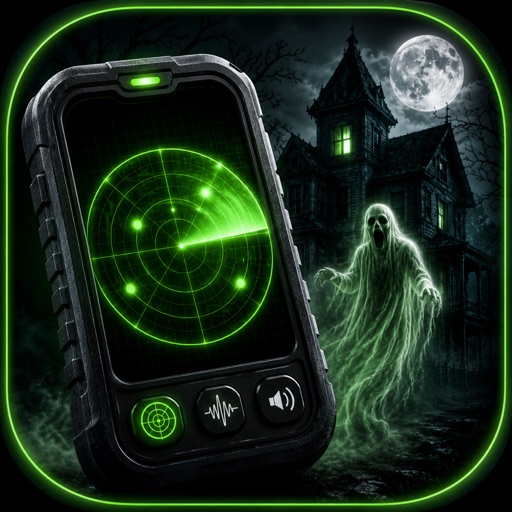
Turn a dark room into a spooky party moment with live radar sweeps, eerie EVP lines, and creepy camera effects you can save and share. Ghost Scanner Spirit Detector is built for fun, for scares, and for curious nights with friends. For entertainment only.
Terms of Use (EULA) - http://www.apple.com/legal/itunes/appstore/dev/stdeula
Key Features:
- Start Hunt launches a cinematic session with a centered radar, phase label, proximity percent, and the latest EVP fragment on screen.
- Pick a persona before each session: Eleanor is free, while Thomas, Mary-Ann, and Silas are available with Pro.
- Follow a full haunted arc through Presence, Contact, and Manifestation, with changing readings, name reveal, and a final line.
- Watch the ambient EMF readout rise and fall during the experience while the disclaimer stays visible on screen.
- End Hunt at any time to stop the session and return to the dashboard.
- Save each result as a Case File with name, era, transcript, last words, time, duration, theme, and location.
- Share a vertical 9:16 Case File card with the headline styling, radar rings, and entertainment notice.
- Open the Tool Drawer for EVP Recorder and Spirit Camera, plus coming soon labels for EMF Scanner and Soundboard.
How It Works:
- Choose a spirit persona from the horizontal carousel, then tap the large Start Hunt button.
- Presence begins with faint readings and distant pings, Contact raises activity and reveals the name, and Manifestation ends with the biggest moment.
- The live activity can keep your session visible on the Lock Screen with phase, proximity, and the latest line.
- If supported on your iPhone, some spirit lines can show an Apple Intelligence badge beside the caption. If not, built-in lines appear without delay.
- After the session ends, the app creates a Case File you can revisit from your history list.
Tools You Can Use:
- EVP Recorder shows a live waveform meter, elapsed timer, and one big record or stop control.
- Free recordings run up to 30 seconds, while Pro extends capture time to 5 minutes.
- Use five sound presets: Clean, Lower, Higher, Backwards, and Spirit Box.
- Fine-tune your recording with pitch from -2400 to +2400, reverb from 0 to 100, and a reversed switch.
- Share both the original recording and your edited version after processing.
- Spirit Camera offers four live filter modes: Night, Thermal, IR, and SLS.
- While previewing, drifting overlays like silhouette, glowing eyes, mist cloud, and orb add a haunted look to your frame.
- Tap the shutter to save a still image, then share it right away.
Case Files and History:
- Read each saved case in a newspaper-style layout that highlights the persona, era, transcript, and climactic last words.
- Free history shows your latest 3 cases, while Pro opens the full archive.
- The EVP Library stores your latest 1 recording on free, while Pro keeps every capture.
- Search Case Files by persona, era, last words, location, or transcript.
- Search the EVP Library by title or effect, then rename or delete with a swipe.
Map and Shortcuts:
- The map area introduces nearby haunted locations and is designed to show the 3 nearest places on free, with more on Pro.
- Use Shortcuts to begin a new haunted session, open your latest Case File, capture a new EVP recording, or run a quick 8 second EMF scan.
- Add widgets for Last Encounter or Quick EMF Scan to see a recent reading or start a scan from the Home Screen.
Settings You Can Change:
- Theme picker: System, Light, or Dark.
- Haptic feedback toggle for session pulses and climax feedback.
- Ambient audio bed toggle for the background drone during a hunt.
- Reset Onboarding if you want to view the welcome flow again.
- Open the Entertainment Only screen anytime from About.
What's new (v2.1)
Bug fixes and enhancements