Money deposit / withdrawals from all ATMs in Turkey is free of charge.
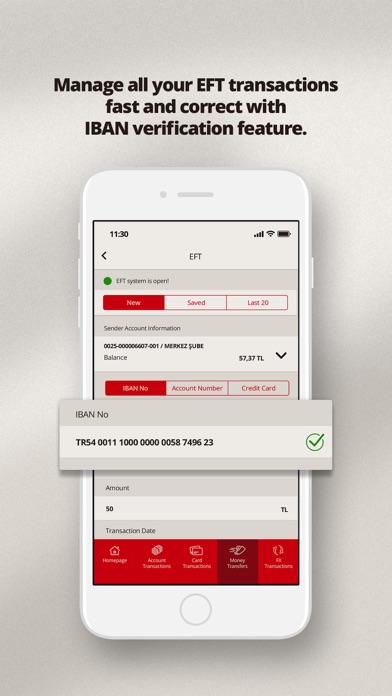
All your EFT/FAST and transfer in Bank transactions are free of charge.
You can become our customer without going to the branch by using your chip-enabled Turkish ID card through ICBC Mobile Branch, wherever you are.
Display all your Virtual Credit Card information, update card nickname and limits.
Repeat the last 20 EFT, transfer in Bank, CHINEX and SWIFT transactions easily.
Unblock your SIM card through the application.
Obtain your Mobile Branch password with your chip-enabled Turkish ID card or credit / debit card number and password.
Daily transactions limits can be seen and updated under Settings > Limit Information menu.
Address / Phone / E-mail informations can be updated under Settings > My Information menu.
You can create your Phone Banking password under Settings > Password Transactions.
You can submit your credit card limit change request from the Card Transactions > Limit Change Request menu.
You can see information about your credit cards and make payments.
Open or close Demand / Time Deposit accounts. Set Daily Deposit Account.
Share your demand deposit account information with just one click.
View and pay your loans.
Buy and sell mutual funds.
Update your bill payment and money transfer orders.
Perform FX transactions (buy and sell foreign currency).
You can make payments for your bills from contracted companies, make donations and top up your mobile phone balance.
View, save or share your account summary and receipts.
*For details visit icbc.com.tr
What's new (v1.5.5)
This update from Apple will improve the functionality of this app. No new features are included.
We continue to improve your ICBC Mobile Branch experience:
News:
- You can perform your Money Transfer transactions via QR Code 24/7.
- With FAST TR QR Code, you can share your account details by generating a QR code with or without a spesific amount.
- You can complete your pay-from-account transactions at compatible POS terminals using FAST TR QR Codes.
- You can manage your QR Code transactions permissions at any time by enabling or disabling them via the Security/QR Settings menu.