Description
Thank you for choosing "Lansenger - Secure Digital Intelligent Work Platform" as your office application.
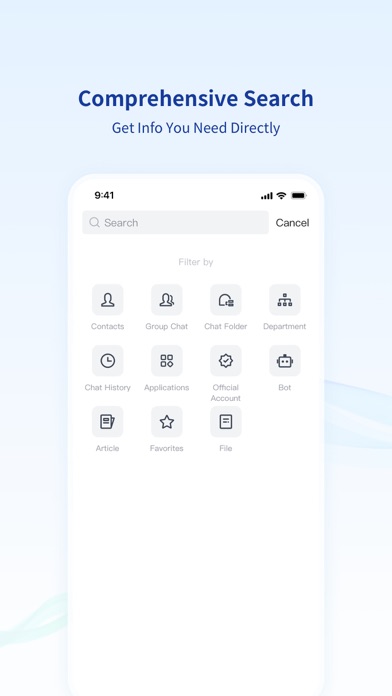
Lansenger is specially designed for large organizations. It provides functions such as organization address book, instant messaging, video conferences and teleconferences, cloud disk and collaborative files, and also provides rich open interfaces for you to develop your own office applications. Lansenger's self-developed notifications, approvals, questionnaires, conference room reservations, learning centers, attendance kits and other applications can quickly solve the complicated trivialities in organizational management for you and help your organization get back on track quickly.
We are well aware of the importance of data to you. As a collaborative work platform that has passed the third-level certification and national secret certification of the Ministry of Public Security of China, Lansenger provides security measures from different dimensions such as system security, data security, business security, service security, national secret applications, zero trust security, etc. Lansenger supports independent private deployment, encrypted storage and transmission, and protects your data security.
*Login authentication*
- Lansenger supports mobile phone number, email, user name and QR code login, and can also use CA certificate login or other authorized login according to the requirements of the organization.
- For data transmission security, organizations may require to connect to intranet services via VPN or zero trust. Lansenger has a built-in VPN for you to choose from.
*Instant messaging*
- Private chat, group chat, broadcast account, subscription account, intelligent robot, various types of chat to meet your work needs.
- Chats Filter, Chat Folders, Later (To-Do), Emoji Reaction, rich efficiency improvement functions make you work swiftly in an orderly fashion.
*Organizational address book*
- The organizational structure supports the management of large organizations with millions of people. The rich visibility configuration allows you to easily manage subsidiaries, outsourced employees and partners.
- The Notify Me function allows you not to miss any important information, and the Call Identification function allows you to quickly identify your colleague's phone number when he calls without storing it.
*Collaborative efficiency*
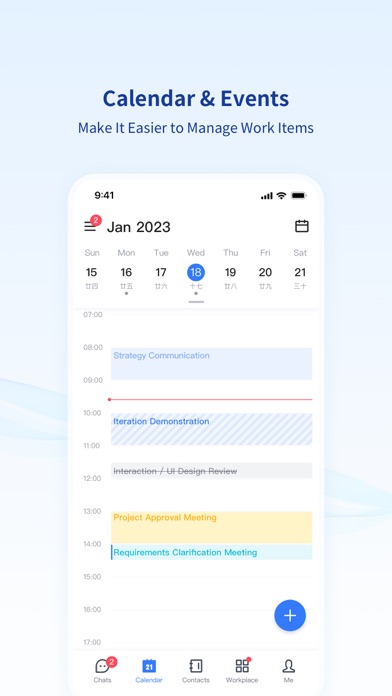
- The calendar function integrates work to be done and meeting arrangements, and the daily itinerary can be seen at a glance.
- Video conferences and teleconferences allow you to deal with urgent work at any time in the distance.
- My Cloud Disk, Organization Cloud Disk and Group Cloud Disk provide online storage for important work materials. You can also preview and edit documents online without downloading file editing tools separately.
*Rich functions*
- Personal status and automatic reply functions allow you to stay free from work when you are on vacation.
- The function of the badge of honor makes it possible to make the organization's commendation online and paperless.
If you encounter any problems in the process of using Lansenger, please contact us by email service@comisys.net or customer service hotline 4006110220.
What's new (v9.6.1)
1. LanEcho (recording app & recording card in Lansenger) has been fully upgraded with a new remote control function. You can place the device in a better position for sound collection, and remotely control the start, pause and resume of recording on the Lansenger mobile app after connection to ensure clear sound collection.
2. Added real-time transcription function, which can be enabled synchronously when starting recording. You can view the sound collection and transcription effect in real time to adjust the device position or remind the speaker to speak louder in time. The voice content is converted into text in real time without manual sorting later.
3. Added key point marking function. During recording, you can mark with one click through the device button or mobile remote control, and the marked points will be displayed in the transcribed text with a prompt tone during playback.
4. Built-in 8 smart summary templates, covering meeting minutes, keynote speeches, daily communication and other scenarios, generating standardized smart summary with one click.
5. Added the function of regenerating smart summary. If you select the wrong template, modify the speaker information or are not satisfied with the result, you can regenerate it based on the existing transcribed text without re-recording, which can be adjusted with one click.
6. Optimized the smart summary naming function. If you do not manually modify the recording title, the system will automatically change the recording title to the meeting theme after generating the smart summary for easier search.
7. Optimized the audio playback experience. The corresponding text, sentences and paragraphs will be automatically highlighted during playback; clicking the transcribed text can quickly jump to the corresponding recording position.
8. Added organizational management functions. The limits of transcription duration and the number of smart summary generated are uniformly managed by the organization to meet the management needs of large-scale organizations.