Description
Resos — The Easy Restaurant Booking System
Make running your restaurant easier with Resos — the smart reservation system that helps you get more bookings, manage tables, and reduce no-shows.
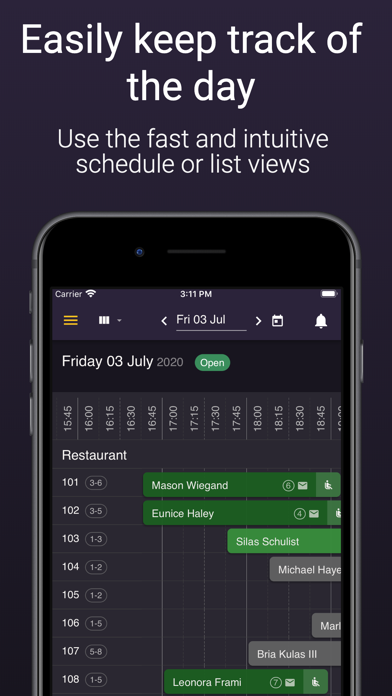
With Resos, you can accept online bookings, set up prepayments, send reminders, and charge no-show fees to ensure guests turn up. The app works seamlessly on any device.
Key Features:
● Table Management and Floor Plan
Organize seating efficiently to maximize your restaurant's capacity. The visual floor plan makes it easy for staff to stay in control.
● Online Table Booking
Accept reservations 24/7 from your website, Facebook, and Google. The booking form is optimized for mobile, tablet, and computer.
● Reserve with Google
Receive bookings directly through Google Search and Maps.
● Reduce No-Shows
Use prepayments, reminders, and no-show fees to secure reservations and keep your tables full.
● Waitlist and Walk-Ins
Manage extra guests even when you're fully booked.
● Print Bookings and Reservation Signs
Easily print daily reservation lists and individual reservation signs for your staff.
● Automatic Reminders
Send SMS and email reminders so customers don't forget their booking.
● Guest Communication and Notes
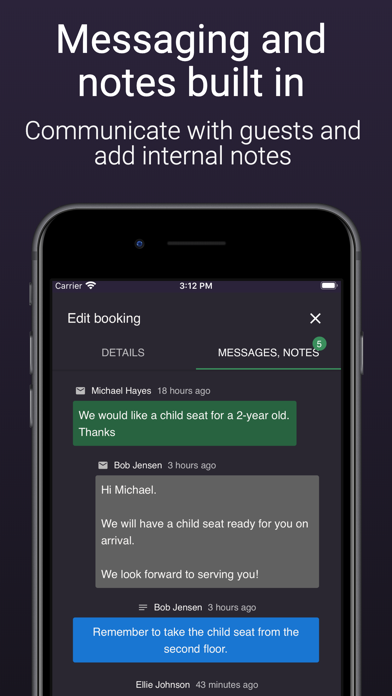
Send and receive messages to give your guests a better experience. Internal notes keep your team aligned.
● Better Reviews Automatically
Our guest feedback system helps you gather valuable insight, catch unsatisfied guests early, and get more reviews on Facebook, Google, Yelp, TripAdvisor, and more.
● Reports
Follow your bookings and social media ratings with up-to-date reports.
● Import Existing Data
Import all your existing customers and booking data from your previous system and get started right away.
● Works on Any Device
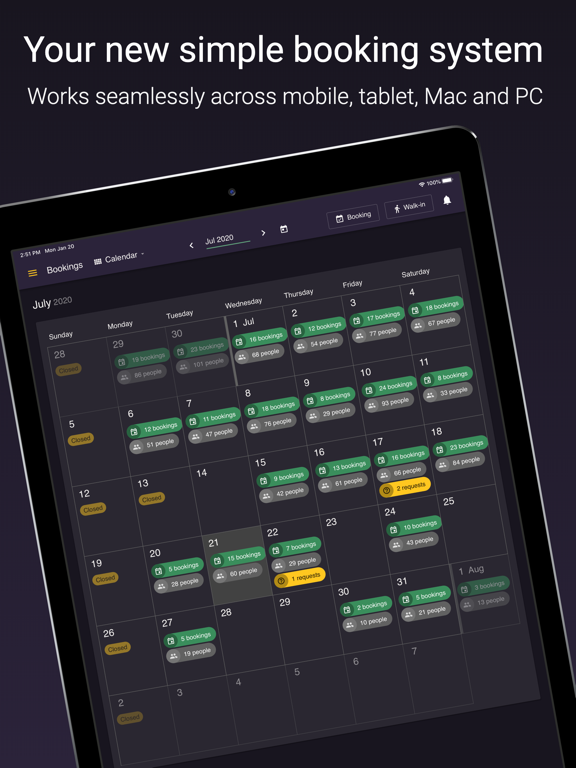
The same system and features are available across mobile, tablet, and computer — as a native app or in a browser. Data is synchronized live.
● Multi-Language Support
Available in English, German, Spanish, French, Italian, Portuguese, Norwegian, Danish, and Swedish.
● Fast and Friendly Support
Our team is ready to help you save time and get more satisfied guests.
Have questions? Reach out to hi@resos.com
What's new (v9.1.3)
FLOOR PLAN EDITOR OVERHAUL
The floor plan editor has been rebuilt for precision and usability. A grid system with snapping, arrow key movement, and shift-to-free-move give you fine-grained control over table placement. A new context menu and floating toolbar keep rotation and zoom controls within reach.
On mobile and tablet, the floor plan now supports touch-based drag-to-create bookings, improved zoom controls, and better sizing for iPad devices. Floor plans can also be printed directly with a "Zoom to Fit" option.
REDESIGNED ONBOARDING
The signup flow has been completely redesigned into a clear, multi-step process — Personal Info, Business Profile, Contact Info, plan selection, and setup. Google Places integration auto-fills restaurant details, and the widget embed code is presented at the end so you can start accepting bookings right away.
CLOSE TABLE FOR A DAY
You can now close individual tables for a specific day — useful for private events, maintenance, or capacity adjustments. Closed bookings are automatically excluded from reports, filter counts, and customer history.
AI AND PARTNER INTEGRATIONS
● Opally AI — AI assistant integration for managing restaurant operations.
● Millie AI — Voice bot add-on for handling phone reservations automatically.
● Workfeed.io — Staff scheduling integration with self-service setup.
● Partner booking sources — First Table, Opally, and MilleAI are now tracked as booking sources with labels in print views and changelogs.
SMARTER TABLE ALLOCATION
The table allocation engine now prefers single tables over combinations and standalone tables over those in larger groupings — fewer unnecessary merges and better floor plan utilization.
BATCH PRINT RESERVATION SIGNS
Print reservation signs for multiple bookings at once. Individual booking printing and the reservation sign layout have also been refined.
DESIGN AND PAYMENT CUSTOMIZATION
● Customize text content on the booking widget via the Design Add-On.
● Payment body text can be customized per restaurant.
● No-show charge receipts now include localized dates and descriptive metadata.
● Cancellation period options extended from 7 to 14 days.
LAST BOOKABLE TIME DISPLAY
Opening hours now show the last bookable time, accounting for meal duration and closing time — especially useful for duration-by-guests setups and after-midnight hours.
PERFORMANCE IMPROVEMENTS
The booking calendar now uses a lighter data-loading approach, reducing unnecessary server load. Query targeting improvements reduce database overhead across the board, resulting in a faster and more responsive experience.
SMARTER TABLE ALLOCATION
The table allocation engine now prefers single tables over combinations and standalone tables over those in larger groupings — fewer unnecessary merges and better floor plan utilization.
BATCH PRINT RESERVATION SIGNS
Print reservation signs for multiple bookings at once. Individual booking printing and the reservation sign layout have also been refined.
MORE CUSTOMIZATION
● Customize text content on the booking widget via the Design Add-On.
● Cancellation period options extended from 7 to 14 days.
ADDITIONAL IMPROVEMENTS
● Comprehensive translation updates across all 15 supported languages.
● Mobile fixes: action buttons on closed bookings, zoom/rotation reliability, timeline layout.
● Booking calendar: date navigation fixes, Live view scroll positioning, and date shift corrections.