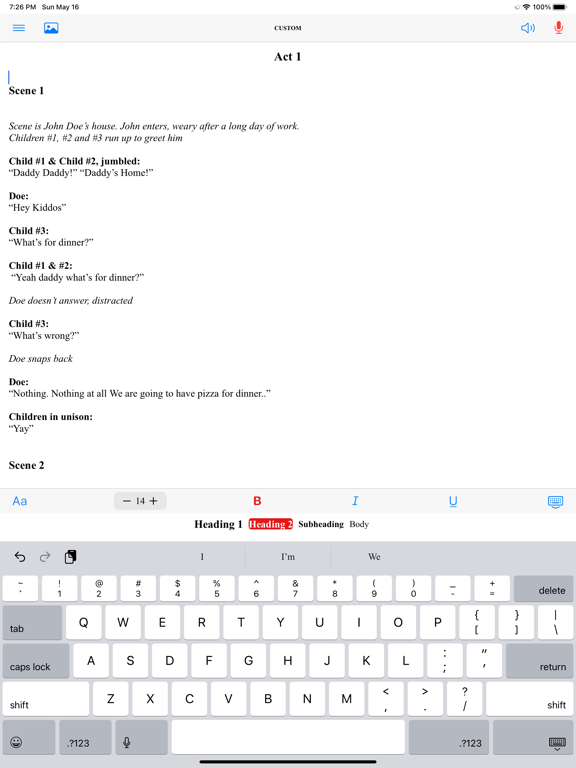
WritingPal is an app for creating and editing documents. It includes the following features:
- WritingPal has some tools to assist with writing. They include Speech to Text (converts words into text) and Text to Speech (dictates written text).
- WritingPal supports the following types of documents:
o Book. A format where you can insert chapters, prologues and epilogues, and the ability to insert images. It includes a table of contents and an outline view to assist in the book writing process
o Essay. You can create an MLA formatted essay which contains a header and allows you to add a Works Cited page .
o Articles and Blogs. You can create articles (allowing you to cite works) and blogs. It allows you to add images.
o Poems. You can create poems with images
o Notes. You can create a document to jot down notes.
o Custom documents. You may customize the document with your own formatting preferences.
- You are also able to export your documents to PDF, Google Document, or Rich Text format.
WritingPal is free, so download now!
What's new (v0.5.0)
- Font Overhaul: All app fonts are now sans-serif (accessibility)
- API Updates
- Bug Fixes:
- Speech to Text bugs (repeating text, wandering cursor) fixed
- Notes -> bulleted list now complies with standards
- Font Features popup retains settings
- Minor visual cleanup and QOL improvements