Flight Navigator is an iPhone app designed to assist pilots in flight navigation.
This app serves as a convenient tool for easily accessing essential information such as position data, airspace details, and route visualization. It is specifically tailored for military training and operations, making it a valuable companion for aviators.
Key Features:
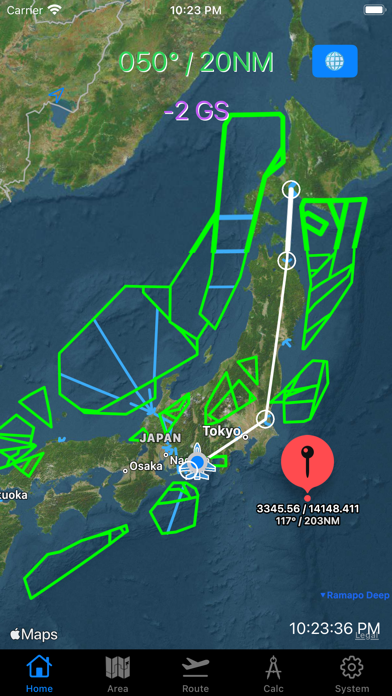
Position and Airspace Information: Flight Navigator utilizes GPS functionality to provide real-time position data. It also offers detailed maps and airspace information, allowing pilots to quickly grasp their location and surroundings during flight.
Route Planning: Flight Navigator offers a straightforward route planning feature. By inputting departure, waypoint (FIX), and destination point, the app displays the route on the map.
Specialized for Military Operations: Flight Navigator caters to the specific needs of military operations by providing essential information. It displays the user's position based on Bullseye reference, along with coordinates, distances from self to pinned locations, distances from Bullseye, and estimated time of arrival. Users can input custom areas and create zones based on Bullseye reference. The data can be managed as CSV files within the File app, enabling easy sharing of data via AirDrop.
[Map options]
You can pick "North up ", "Heading up mode" or any direction.
You can choose standard map (default) or satellite map.
[Radial/DME from Bulls Eye]
Label on the top shows Radial/DME from certain point which you put on the Bulls Eye window.
Bulls Eye coordinates must be filled with Latitude / Longitude DMM format in the system tab.
[Speed indicator]
GPS ground speed (GS knot) indicator is on bottom of Bulls Eye label.
[Annotation (Pin) options]
You can put a pin on the map with long tap.
Also you can remove a pin with 3-finger tap.
Main
→ The title which will be shown with one long tap.
Sub
→ The subtitle which will be shown with one another tap on the pin.
[Area Tab]
This tab is for making user optional flight area on the map.
You can make area from BE radial/DME, also available for making circled line.
Data is savable to File App as CSV data. You can pick those up either Area tab or Layer page.
[Layer page]
You can pick csv data from File App.
[Route Tab]
This tab is for making user optional flight route on the map.
Now, available for
- Japanese FIXs and NAVAIDs
- World VOR, TACAN, VORTAC
- Europe Free Route Airspace points
- US FIXs and NAVAIDs
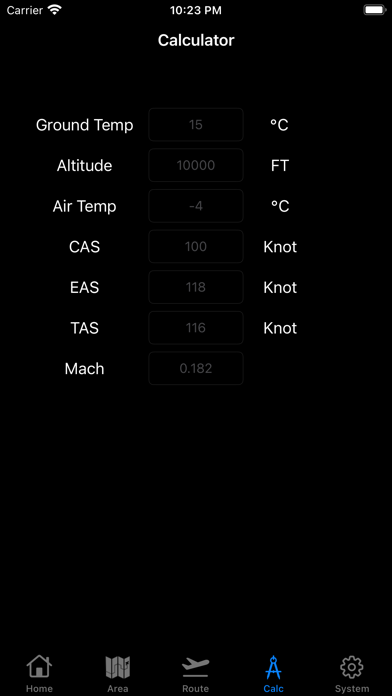
[Calculator Tab]
Fr me: From me
→ It shows Radial/DME from myself to pin.
Fr BE: From BullsEye
→ It shows Radial/DME from Bulls Eye to pin.
LatLon: Latitude Londitude
→ It shows Latitude and Londitude. minus means "South" or "West" respectively.
Time: MMM'SS
→ It shows time of flight to pin. (Distance devided by ground speed)
It does not include time of turn.