Description
Kiosk is a browser for people who want control over the web — its display, its content, and what runs on it.
KIOSK MODE
Real fullscreen, no bars, no distractions. Triple-tap to exit manually — no Guided Access setup, no system prompts. Turn an iPad into a dedicated display for shop windows, trade shows, info points, or a smart-home panel on the wall.
DESKTOP MODE
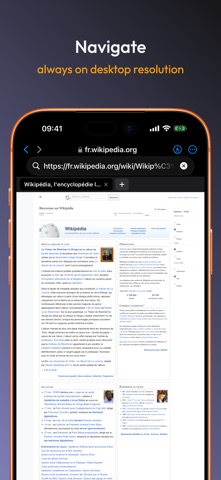
True desktop browsing with configurable viewport resolution. Switch user agents (Chrome, Safari, Firefox, Edge) with a tap. Sites render the way you want, not the way iOS forces.
EDIT ANY PAGE
Tap the pencil. The page becomes editable. Change a headline, fix a price, hide a banner, rewrite a sentence. Take a screenshot, share it, save it as an HTML snapshot you can re-open offline.
SCRIPTS AND AUTO-RELOAD
Run your own JavaScript on the sites you choose, every time they load. Force dark mode, hide cookie banners, add shortcuts — Greasemonkey-compatible, just drop a .js file. Three samples preloaded. Set any page to auto-reload every 30 seconds, 1 minute, 5 minutes — great for dashboards and signage that have to stay fresh.
SPACES
Your bookmarks, history, scripts, snapshots, and per-context settings live in inspectable folders on your device. Open Files.app and there they are. AirDrop a Space to another iPad and your whole setup follows.
BUILT FOR LOCAL NETWORKS
Self-signed certificates accepted out of the box: home dashboards, routers, staging environments, smart-home panels — they all just work.
PRIVACY
No accounts, no cloud, no tracking. Your bookmarks, history, and scripts live only on your device. Export to JSON anytime.
ONE PURCHASE, EVERY DEVICE
iPhone, iPad, and Mac (Apple Silicon) with a single purchase. No subscriptions, ever.
Under 1 MB. Localized into 40+ languages. Made by one person who uses it every day.
What's new (v1.2)
Kiosk can now be your default browser.
Open Settings > Apps > Default Apps > Browser and choose Kiosk. From now on, every link you tap opens straight here — no extra steps.