Description
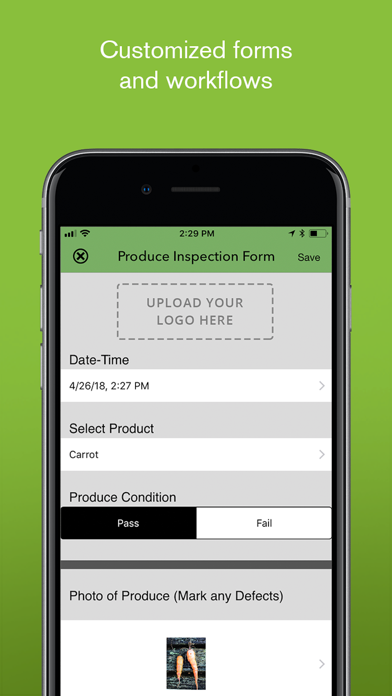
iForm brings business grade, offline data collection to iPhones, iPads and iPod Touches. Utilized by 3 of the top 10 hotel brands in the world, the largest hospital in the US, the US Government, top franchises, amusement parks, and hundreds of small/mid size businesses, iForm helps you increase productivity, reduce costs, and reduce paper use.
Conduct surveys, inspections, walk-throughs, work-orders, audits, tasks, research studies and clinical trials easily and cost effectively on your iPad, iPhone, or iPod Touch.
Using the iFormBuilder web interface, users can create business grade forms that will work seamlessly across all supported devices. Data views give you the flexibility to see your data in a variety of outputs including Map View, HTML View, PDF View and Excel View. Data feeds (XML, JSON, XLS, RSS, ATOM) offer seamless integration with your back-end systems.
The iFormBuilder platform gives you the power to turn your mobile device into an enterprise grade data collection tool.
Key Benefits:
-Quick turn-around with over-the-air form distribution
-Real time data upload
-Offline data collection (out of service, no wifi)
-Ensures accurate data capture and eliminates redundancy
-Immediately communicate changes and updates to your mobile workforce with server assignment and client-to-client assignment
-Massively scalable
-Maximum security (being used by HIPAA and FISMA regulated projects)
**Please upload all records before upgrading**
Note: Continued use of GPS running in the background can dramatically decrease battery life.
What's new (v12.0.4)
Enhancements
- Added a configurable text overlay for Image and Multi-photo elements that is burned into captured and gallery-selected photos. Learn more.
- Added the compass bearing (ImgDirectionRef) to the image metadata. Learn more.
- Expanded the HTTP element to support POST, PUT, and DELETE requests. Learn more.
Bug Fixes
- Fixed multiple crashes that could occur during record sync and improved overall sync stability.
- Fixed a sync error that left records in a partial state — uploaded successfully on the server, but with fields appearing blank on the device.
- Fixed text clipping on the External Hardware list and the Manage tab form list on iPhone 17 Pro Max running iOS 26.
- General bug fixes