Description
The easiest, best and only choice if you want a QR Code and Barcode Reader.
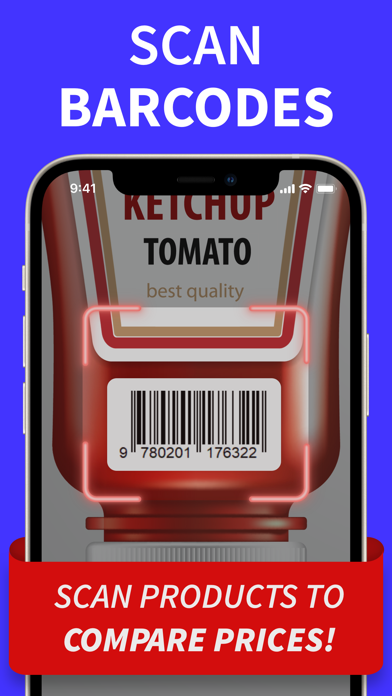
Now get the best prices and reviews when you scan a product barcode.
QR Code Reader and Scanner includes the following:
Barcode scanner
Fast Scanner
Code Reader
UPC Scanner
QR Scanner
QR Reader
Code Scan
Our QR code reader is best QR code scanning app and now includes a barcode scanner too!
Complete Scanner Features:
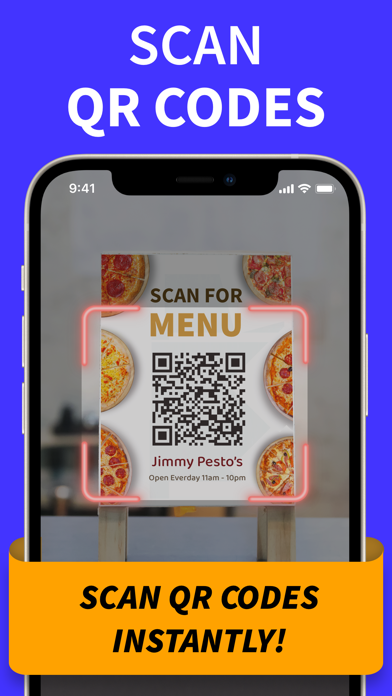
- Scan a QR code
- Scan a product barcode
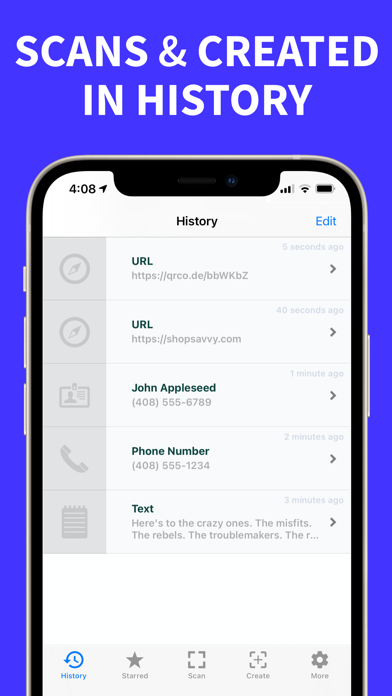
- Save your scans in History
- Search your saved scans
- Share codes via SMS, Email, Twitter, and Facebook
- Save codes to Photos
- Print a QR code
- Display a QR code and a UPC barcode on screen
- Mobile Reader
- QR code Generator
The ShopSavvy QR code reader is consistent rated the best iPhone app to scan QR Codes. With ShopSavvy you get a fast scanner and a scanner. No gimmicks or games!
Also includes a complete QR Code Generator
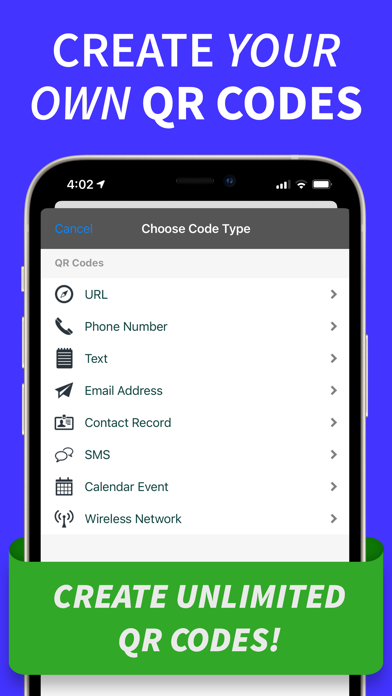
Create your own QR codes for: URLs, Phone Numbers, Text Notes, Locations, Email Addresses, Contacts, SMS Messages, Calendar Events, and Wireless Networks.
http://shopsavvy.com
What's new (v4.8.31)
- Buy Pro once and keep it forever with the new lifetime option — no subscription
- Unlock your complete scan history with Pro — free keeps your 20 most recent scans
- Improved ad attribution so ads shown in the app stay better matched to your interests, helping us keep the app free
- Tapping a QR Code Reader link from the web now opens the app directly when it's installed, instead of bouncing through the browser
- After scanning a product barcode, you can now jump into the full ShopSavvy app to track its price, set deal alerts, and see complete price history
- New ShopSavvy app link in Settings for users who'd like the companion shopping app
- Anonymous usage data now helps us improve the app on first launch (you can turn this off anytime in Settings → Privacy)
- Localized the scanner viewfinder hint text in all supported languages
- Native iPad app: brand new three-column layout with a sidebar for History, Starred, and Created, plus large Scan and Create buttons. No more iPhone compatibility mode.
- Landscape support on iPad — use the app in any orientation
- Tap a code from the list on iPad to see its details in the right column without leaving the list
- Scan and Create screens open as floating sheets on iPad, keeping your codes visible underneath
- Automatically switches to the familiar tab bar layout when the app is running in Slide Over or a small split window on iPad
- Keyboard shortcuts on iPad: Cmd+1/2/3 to switch sections, Cmd+S to scan, Cmd+N to create, Cmd+, for Settings, Esc to dismiss
- "Create one like this" button on code detail screen — quickly make a new code based on one you already have (iPhone and iPad)
- Product price comparison now opens as a floating sheet on iPad instead of taking over the whole screen
- Create Aztec, Data Matrix, and PDF417 codes from the Create tab and Batch Create
- Create cryptocurrency payment QR codes for Bitcoin, Ethereum, Litecoin, Dogecoin, Bitcoin Cash, Solana, and Monero with optional amount, label, and message
- Create App Clip and Universal Link QR codes
- Scanned cryptocurrency payment URIs are now automatically labeled "Cryptocurrency" in your history
- WiFi code creation: tap the WiFi icon next to the network name field to auto-fill from your current connection
- Recently Deleted: deleted codes now go to a 30-day recovery trash instead of being permanently removed. Find it in Settings.
- Undo button on toast notifications when you delete codes — tap to instantly restore
- Keyboard shortcuts on iPad and external keyboards: Cmd+1 through Cmd+5 to switch tabs, Cmd+N for new code, Cmd+F to search, Esc to dismiss
- Pro: 64 QR code design templates organized into 8 collections — Minimal, Business, Bold, Restaurant, Wedding, Tech, Retro, and Holiday
- Pro: Share QR codes with embedded headline and subtitle text, perfect for posters, flyers, and social media
- Pro: Bulk QR Generator — paste a list of URLs or contact info, pick a template, and export a ZIP of styled QR images
- Pro: Export your scanning analytics as a multi-page PDF report
- Pro: Share your scanning stats as a 1080x1080 image card for social media
- 1D barcode creation (Code 128, EAN-13, UPC-A, etc.) is now a Pro feature
Scan now, gloat about your savings later.