Description
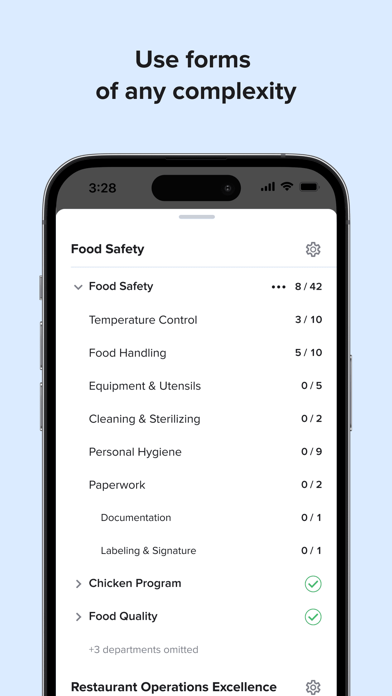
Steritech’s OnBrand360® assessment app is designed to help multi-location units deliver their brand experience every time, everywhere. Prior to using this application, you need an OnBrand360® username and password as part of your company’s services with Steritech.
Developed by third-party assessment pioneer Steritech, OnBrand360® is a breakthrough, proprietary software platform that collects, compiles, and presents information in ways that make big data digestible and actionable. This secure, intuitively designed platform powers assessments conducted by Steritech, as well as Steritech clients enrolled in the company's OpsCheck Self-Assessment service.
EMPOWER YOUR TEAMS TO DELIVER ON YOUR BRAND PROMISES
A consistent, on-brand experience at every location, every time is critical to customer satisfaction, employee safety, and your bottom line. Maintaining these standards across multiple locations can be a challenge. Empower your location-level teams with the tools they need to meet your operational, service, safety, and customer experience vision with Steritech's OpsCheck Self-Assessment service. This robust tool helps your team learn what processes are important to your business and build muscle memory to execute them. Using OnBrand360® technology, your teams can validate their location's alignment with your organizational standards on their own time.
THE BENEFITS OF USING OPSCHECK
• With regular use, increases individual location formal assessment scores by as much as 29%
• Incorporate both industry best practices and your custom standards for top performance
• Access organizational trending and robust reporting through Steritech OnBrand360® technology’s centralized data capture
• Allows locations to implement their own closed-loop corrective action processes
What's new (v1.50.0)
• Stay informed with announcements — Announcements relevant to you now appear in the mobile app. A home-screen banner highlights unread announcements after each sync, and an in-app notification slides in mid-assessment so time-critical updates reach you wherever you are.
• Capture best practices and urgent issues mid-assessment — The "Assessment notes" item in the More menu is now "Capture assessment comments" and opens the summary screen, so you can jot down best practices, urgent issues, and notes without finishing all line items first.
• Pinch-to-zoom on policy images — Tap an image inside a policy to open it fullscreen and zoom in on the details.
And other fixes and improvements…