Description
Zebra is a simple, intuitive app I originally made for my wife (@VrednayaModa) to make her blogging life easier — and I hope it helps you too ◕‿◕
What’s inside?
• Easy Story Editor
Add your own fonts and stickers
Highlight words (marker, underline, etc.)
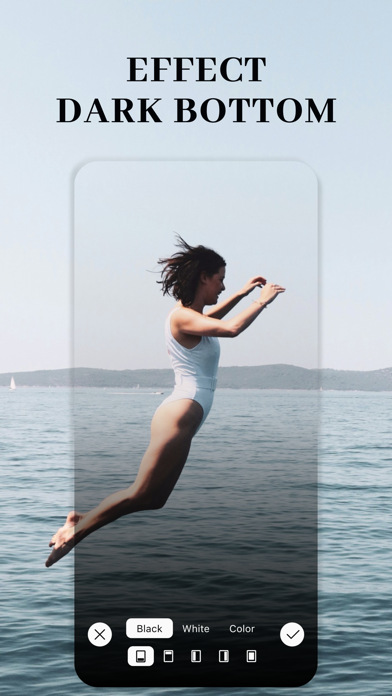
Blur or darken the background
Draw dotted lines
Plan out multiple connected stories for smooth storytelling
• Text Drawing
Turn trendy text effects into stories in under a minute
• Collages
Create photo and even video collages fast
Only the most up-to-date templates
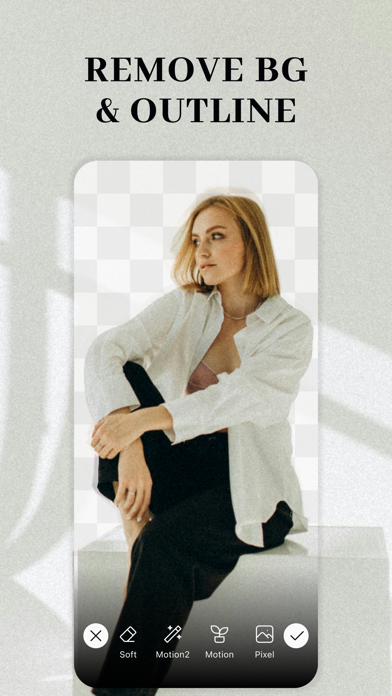
• Smart Background Remover
Remove backgrounds automatically or manually
Add colored outlines with adjustable thickness
• Object Removal (AI)
Cleanly erase anything unwanted from your photos with AI
• Seamless Post Carousels
Create popular seamless carousels in just a minute
• Dark Overlay for Photos & Videos
Subtle “blogger-style” darkening
Darken just parts of an image (like the bottom) to make text pop
• One-Tap Blur (Photo & Video)
12 blur styles: from basic to motion and glass effects
Blur only specific areas
Focus blur for soft spotlighting
Background blur for portrait-style photos
• Grain Effect
Add cinematic grain for a moodier, film-style look
• Filters
Custom filters by bloggers to make your content stand out
Full-screen filter swiping like Reels
Video filters too
• Rounded Corners
Quickly round off corners when needed
• Custom Stickers
Question sticker, Alert sticker, Calendar sticker — all fully customizable
• Unicode Fonts
Use stylish fonts in your bio, comments, or any app
• Before / After
Make quick before & after videos in seconds
• Watermark Tool
Easily add a watermark to protect your work
Add text or logo, adjust transparency, or tile it like news outlets do
• Shape Masks
Crop your photo into a circle, heart, and more (30+ shapes)
• Boomerang Effect
Make the classic boomerang video in a tap
• Video Speed Control
Speed up or slow down your video
• Video Compressor
Shrink video file sizes to save space
• Text from Video
Extract text from any video — super handy for notes
• Find Large Videos
Quickest way to free up space: find and delete the biggest videos
• Zip Archive Maker
Need to send a bunch of files at once? Now you can zip them easily
• QR Code Generator
Make QR codes in seconds
That’s it for now — but just for now. I keep improving Zebra and adding cool new features. Stay tuned!
Thanks for reading this far :)
Contact me anytime at: ZebraAppStore(at)gmail.com
If you decide to try Premium (totally optional), payment will be charged to your iTunes account.
You can cancel your subscription anytime in your Apple account settings.
Privacy Policy: http://privacy.zebrablur.com
Terms of Use: https://www.apple.com/legal/internet-services/itunes/dev/stdeula/
What's new (v3.27)
Hey! Dropped another fresh update ◕‿◕
Carousels now do video! I've added video slots to the carousel editor — build carousel posts from photos AND videos at once. Plus you can now build carousels by hand and save them as projects — come back and finish whenever you want. And smart slots: drop in several photos at once, and the zoom and frame position get remembered
I rebuilt Curved Text almost from scratch — a semicircle and new presets, shapes (including a heart) you can drag with your finger, delete with the little x, and draw your own text on top. It saves as a transparent PNG so you can stick it anywhere
Outline got an upgrade — I added new styles: double, gradient, wavy, scalloped, "sketch," and soft glow. Both in Remove Background and in the standalone tool
Blur got some love too — now you can paint over things by hand with a brush (handy for faces/plates), plus a new soft glow effect
Fixed a ton of bugs and crashes: export in Text on Photo (layers, transparency, out-of-memory crashes), filter loading, slow-motion video export, and memory hogging. It's all more stable now
P.S. As always, thanks for the reviews — I read every single one, it really means a lot)
P.P.S. You can reach me through the "Settings" button on the main screen. Always open to your ideas and suggestions