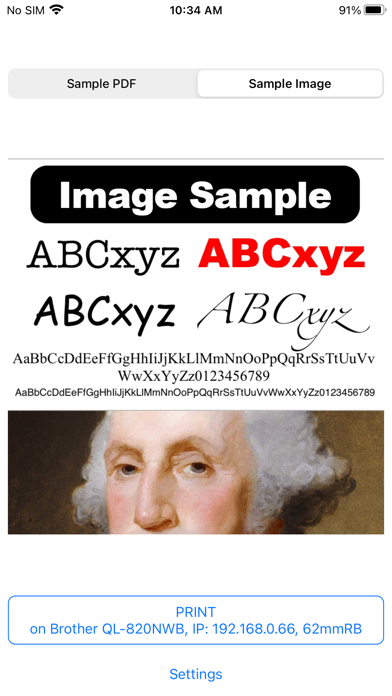
Whether you have a Brother TD, QL, MW, RJ, PT, or PJ printer with WiFi, Bluetooth, Direct WiFi, or MFi, this app is your bridge to print any PDF files or images from any app that supports Print or Share features. It's also a great app to test any Brother printers. It automatically defaults to the most commonly used settings. If you don’t have a Brother printer connected, the app still allows you to view the settings of any supported printers. Setup is super fast! The app remembers all your settings, no matter how many Brother printers you have. The next time you wish to print, it takes only one tap.
### Initial Setup:
1. **Download the app.**
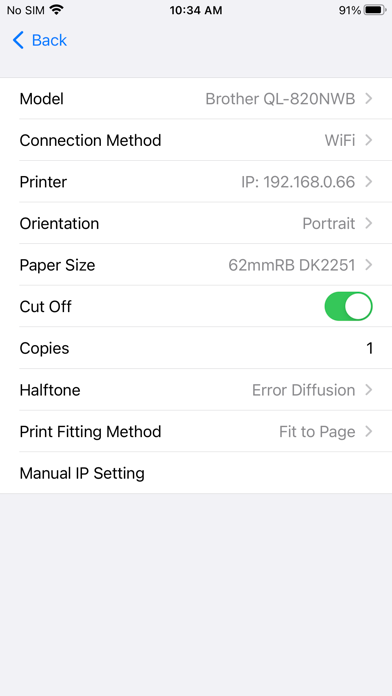
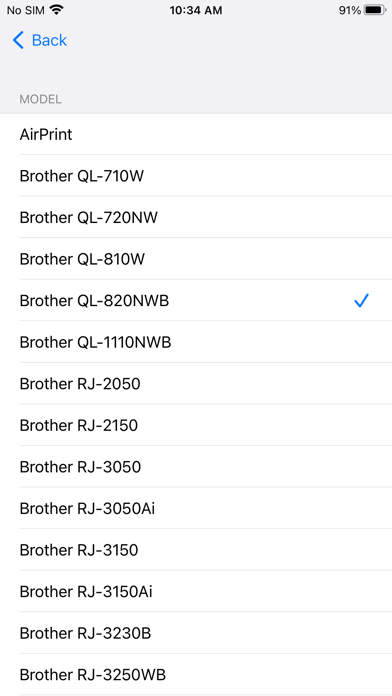
2. **Tap Settings and select a model.**
3. **Tap Printer to find all printers connected to your network (WiFi or Bluetooth).** Some networks may be slower and require you to tap the Printer again.
Now you are ready to print! The entire initial setup process, from download to print, should take less than 10 seconds. Subsequently, printing is just ONE TAP. You do not need to open the app to print; it will automatically appear when you select Brother iPrint from the pop-up menu.
### Advantages over AirPrint:
1. Set Halftone (Threshold, Dither, Error Diffusion)
2. Choose a specific media
3. Enable or disable auto cut
4. Set orientation (Portrait, Landscape)
5. Default to the previously selected printer
6. Faster printing
7. Support for Bluetooth and MFi (AirPrint is only WiFi)