Description
iFly EFB delivers the perfect combination of affordability, capability, and usability for both VFR and IFR Pilots. Safely and quickly get the information you need so you can focus on flying!
Key reasons to try iFly EFB:
1) Ease of use in the cockpit: Our intuitive and simple interface, easy to hit buttons, simple map gestures, large fonts, and more make this the best EFB for in-flight use
2) Pilot focused company: We have staff (pilots) on the ground at our office in Texas waiting to answer your questions. Call 214-585-0444 or email support@adventurepilot.com, we're here to help
3) Price: We are one of the most competitively priced EFBs on the market
4) Capabilities: We are one of the most capable EFBs on the market! Need proof? Visit www.iFlyEFB.com/Compare
Following are some of our features and benefits:
•Geo-Reference Approach Plates and Airport Diagrams
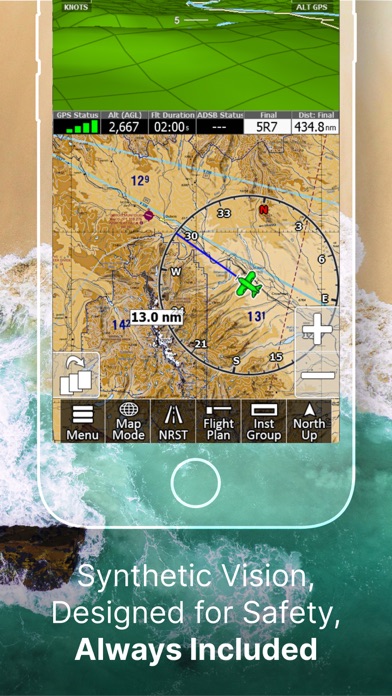
•3D Synthetic Vision / EFIS Mode
•Terrain, Obstructions, Traffic, and Airspaces Alerts
•Complete ADSB support
•AutoTaxi+ for safe taxing at any airport
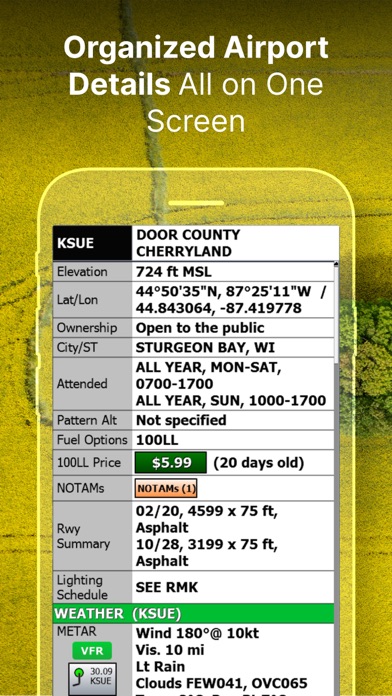
•RealView airport imagery
•RealPlan automatic VFR Planner
•Auto-load approach into plan
•Complete VFR and IFR databases and charts (FAA)
•Sectionals
•Customizable Instruments
•Public & Private Airports
•Winds aloft including forecasts for 36 hours
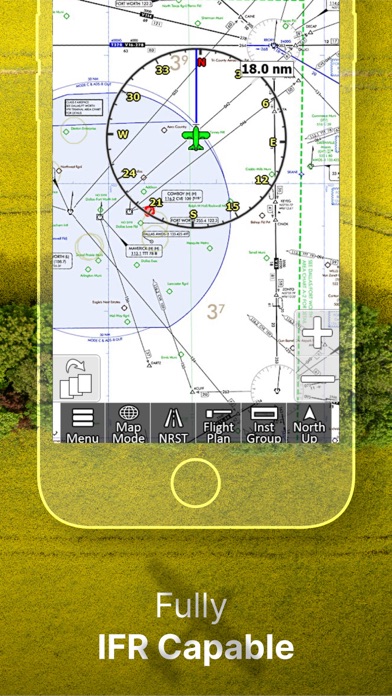
•Hi/Lo-Enroute Charts
•Terminal Area Charts(TAC)
•World Aeronautical Charts(WAC)
•Vector Mode
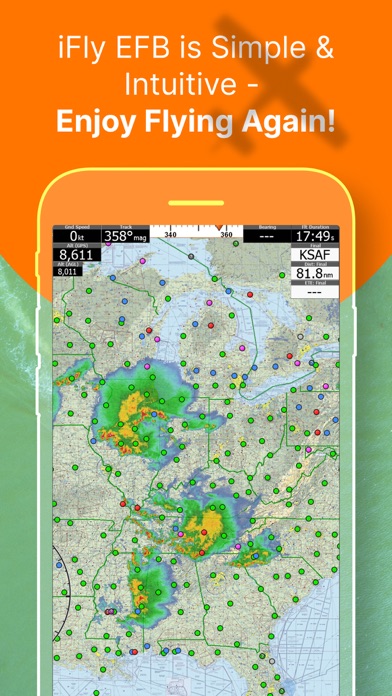
•Weather (Pre-Flight or ADS-B Live)
•Hi-res Winds Aloft Optimizing
•Rapid Flight planning
•Plates & Diagrams (Approach, Departure Plates, Stars, SIDs Airport Diagrams)
•Instruments Panel
•Day/Night Mode
•Online Flight Plan Filing
•Custom Instrument Layouts (24 Instruments, e.g. HSI, Vertical Profile, and AHRS)
•Vertical Terrain planning and Airspace preview
•Find Nearest
•History
•North Up / Track Up
•Pinch Zooming w/ One Touch Feature
•Dynamic Distance Ring
•Hybrid Compass Rose w/ Nav Function
•Extended Course Line
•Flight Trails
•Past Flights
•Rubber Band route modification
•Custom Aircraft icons
•AutoTaxi+
•Alerts & Warnings
•Button Fading (maximizes screen space)
•Custom User Waypoints
•Customizable Instruments
•Simulator Mode
What's new (v14.0.64)
Patch Release to 14.0.63 - to fix some a few critical but narrow scoped bugs.
Release notes for 14.0.63:
1. Satellite Imagery Layer
View high-resolution satellite imagery right on the map.
Includes smart caching to help manage disk space, plus
the ability to pre-load imagery along your flight plan
route.
2. Sharper Display Throughout
Graphics, map tiles, terrain elevations, and EFIS 3D now
display at approximately double the previous resolution,
making the entire app look sharper and clearer.
3. New PDF Viewer for Briefings
Flight Plan Briefings now open in a built-in PDF viewer,
with a Share option that makes it easy to send briefings
by email or through other apps.
4. New Planning Charts
WAC charts have been replaced with new Planning Charts,
making it easier to view and plan VFR flights at wider
map ranges.
5. Flyway Charts Now Available
Flyway Charts are now included.
6. Audio Callouts for All Alert Types
All alert types can now provide spoken callouts.
Individual callouts can be managed under Menu > Settings
> Alerts/Warnings > Audio Callouts.
7. NEXRAD Auto-Animation
Radar imagery now auto-animates by default for both
internet and ADS-B sources. If you turn it off, your
preference will be remembered.
8. Native Keyboard Support
Platform-specific keyboards are now enabled by default
for a more natural typing experience. This can be
adjusted under Menu > Setup > Screen.
9. Updated Graphics Engine
The app now uses the latest graphics engine for improved
performance and compatibility.
10. Flight Plan Improvements
- Flight Plan Briefings can now be shared by email or
other apps
- Improved support for filing flight plans more than 24
hours in advance
- Filing now works with Lat/Lon waypoints that do not
include airport codes
- Fixes for departure time and altitude planning
- Your account name now defaults to your registered iFly
email address
11. Extended Runway Enhancements
The Extend Runways option now also includes departure
extensions.
12. Bug Fixes and Stability Improvements
- Corrected AIRMET/SIGMET and TFR description text issues
- Fixed map coverage for the Caribbean, Puerto Rico, and
the Virgin Islands
- Improved visibility of the Glide Ring, TOC/TOD markers,
and Traffic Radar
- Fixed forecast color legend and various alert issues
- Corrected raster map tile rendering and track-up
behavior
- Improved Vector Mode Terrain loading performance