Description
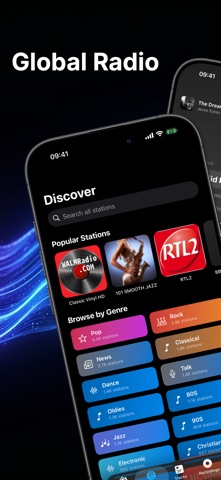
Macdio is a radio app built for people who actually care about the listening experience. No ads, no tracking, no data collection. Just thousands of live radio stations from around the world, right on your iPhone, iPad, Mac, Apple TV, and Apple Watch.
You open the app, you find a station, you listen. That simple. Browse by genre, country, or popularity. Jazz, electronic, classical, hip-hop, whatever you are into, it is here.
When you hear something you love, hit record. Macdio saves live radio moments so you can listen again later, even offline. Real-time lyrics show up when available, so you can follow along with whatever is playing.
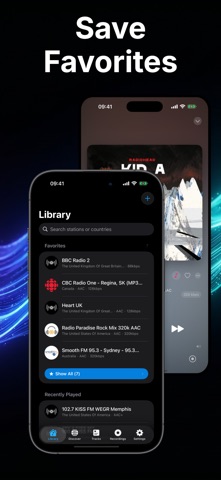
Your favorites are always one tap away. Save the stations you keep coming back to and build your own collection. Check your listening stats to see how much time you have spent, your top genres, and which stations you play the most.
Macdio works on Apple Watch too. Not a stripped down remote control, a real app. Browse stations, play music, check favorites, and view stats directly from your wrist. It works on its own without needing your iPhone nearby. Add complications to your watch face and see what is playing at a glance.
The sleep timer lets you fall asleep to music without worrying about it playing all night.
Privacy is not a feature we added later. Macdio does not collect your data, does not track what you listen to on any server, and does not sell anything to anyone. Your listening habits stay on your device.
No ads. No in-app purchases. No subscriptions. You buy it once and it is yours on every device. iPhone, iPad, Mac, Apple TV, Apple Watch, all included.
Built for radio lovers, by someone who actually listens to radio.
What's new (v2.5.1)
Song ID grew up in this release. I rebuilt the engine underneath it, and Auto Shazam is no longer experimental.
- Stations that share their song inside the stream now show it instantly, no recognition needed. Many Opus and FLAC stations do, and Macdio finally listens to them
- Song ID now works on FLAC and Opus stations, which never worked before
- What the station says always wins: no more wrong song names or covers from a bad guess
- The Lock Screen and CarPlay now always show the same correct song as the app, and synced lyrics line up more precisely
- Recognition listens to the audio you already hear instead of opening a second connection, so it is faster and lighter on the network
- Song info no longer vanishes mid-song
- Tiny broken station logos are replaced with clean artwork
- The layout now fits 4.7 inch iPhones (SE 2 and 3): the mini player no longer overlaps the tab bar and the player screen fits the display
Thank you for every report you send. They shaped every fix in here.