Description
QR & Barcode Scanner is an iPhone app that lets you instantly scan QR codes and barcodes using your phone's camera. It helps you open links, check product information, verify authenticity, and create your own QR codes for sharing websites, contacts, or Wi-Fi.
Best for:
- Anyone needing a free QR code reader
- Shoppers scanning barcodes for product details
- Users creating QR codes for business or personal use
- People managing inventory with batch scanning
How to Scan a QR Code with iPhone
- Open the app and point your camera at any code.
- The app instantly recognizes it and shows the result.
- Tap to open a link, see product info, or save the data.
Key Features
- QR Code & Barcode Scanner
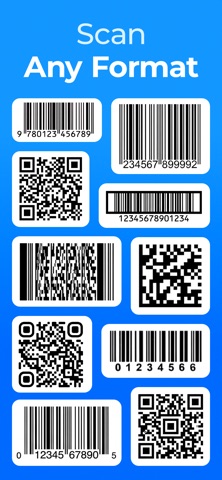
Scan all standard code types instantly using your iPhone camera. Works with QR, EAN, UPC, Code 128, Data Matrix, and more.
- Safe URL Checker
Know exactly where a link leads before you open it. The app automatically checks QR code URLs for potential security threats, helping you avoid phishing attempts and malicious websites.
- Product Lookup & Price Comparison
Scan any barcode to see nutritional info, ingredients, and compare prices on Amazon. Make informed shopping decisions instantly.
- Batch Scan Mode
Scan multiple codes in sequence and save them as a batch. Perfect for inventory tracking or event check-ins.
- QR Code Generator
Create your own QR codes for links, contact details, Wi-Fi networks, text, and more. Share them directly from the app.
- Scan History & Organization
All scans are automatically saved. Organize them into folders and quickly find any code you've scanned before.
Supported Code Types
- QR Codes (text, URLs, contacts, Wi-Fi)
- Barcodes: EAN-13, EAN-8, UPC-A, UPC-E
- 1D Codes: Code 128, Code 39
- 2D Codes: Data Matrix, Aztec, PDF 417
Use Cases
- Scan a QR code from a restaurant menu to see the menu on your phone.
- Check a product barcode before buying to compare prices and read nutritional facts.
- Scan multiple items during inventory using Batch Scan mode.
- Create a QR code for your Wi-Fi network so guests can connect instantly.
- Verify if a product is authentic by scanning its barcode.
FAQ
Q: What is the best QR code scanner for iPhone?
A: QR & Barcode Scanner is a fast, free app that reads QR codes and barcodes instantly. It also lets you generate your own QR codes.
Q: Can I scan barcodes to get product info?
A: Yes. Point your camera at any product barcode to see nutritional information, ingredients, and compare prices on Amazon.
Q: Is there a free QR code generator?
A: Yes. The app includes a free generator for links, contacts, Wi-Fi passwords, and text.
Q: Can I scan multiple codes at once?
A: Yes. Batch Scan mode lets you scan multiple codes and save them together as a single batch.
Q: Is my scan history saved?
A: Yes. Every code you scan is automatically saved and can be organized into folders.
Q: Does it work with all barcode types?
A: It supports most common formats including QR, EAN, UPC, Code 128, Data Matrix, and PDF 417.
Disclaimer
QR & Barcode Scanner is a tool for scanning codes. Product details are for informational purposes only.
Subscription Information
The app is free for basic scanning. Premium features (unlimited batch scans, advanced product details, no ads) are available via auto-renewing subscription. Payment charged to App Store account. Manage subscriptions in Account Settings.
Privacy Policy: https://qr-barcode-scanner.com/pp
Terms of Use: https://qr-barcode-scanner.com/tou
Support: support@qr-barcode-scanner.com
What's new (v1.7)
Your QR Code Scanner gets even better!
Here’s what’s new:
— Enhanced recognition – faster and more accurate, even on tricky codes
— New code types supported – now handles even more formats
— Improved food scanner – get clearer nutrition facts, ingredients, and allergens
— Bug fixes & performance tweaks – smoother, more reliable scanning experience
Update now and see for yourself. We’d love to hear your feedback – please leave a review