Description
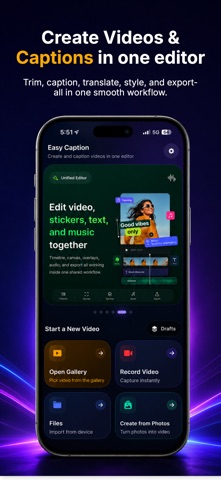
Turn speech into text in seconds. Record live, or import any audio or video file, and get fast, accurate transcripts you can edit, caption, translate and share - right from your iPhone.
POWERFUL TRANSCRIPTION
- Transcribe voice, audio and video to text with high accuracy
- Record live or import MP3, MP4, M4A, WAV and more
- Support for 100+ languages and dialects
AUTO SUBTITLES & CAPTIONS
- Generate subtitles for reels, shorts and any video
- Export clean SRT files or add captions to your clip
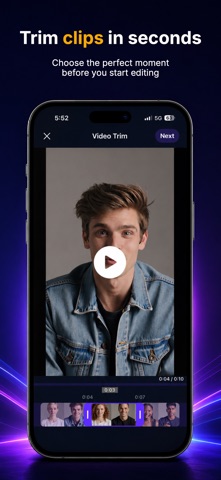
- Edit timing and wording in a simple editor
TRANSLATE INSTANTLY
- Translate transcripts and subtitles into 100+ languages
- Share clips and notes anyone can understand
MADE FOR EVERY VOICE
- Meetings, interviews, lectures and podcasts
- Voice memos, notes and dictation on the go
- Students, creators, journalists and professionals
SIMPLE & FAST
- Clean, distraction-free and easy to use
- Export text, SRT or video in a tap
- Record offline, transcribe when you are ready
Download now and turn your words into text, subtitles and translations - fast.
Subscription:
Easy Caption offers an optional auto-renewable subscription that unlocks full access to transcription features. Subscription details, pricing, and length are shown at the time of purchase. Your subscription will automatically renew unless cancelled at least 24 hours before the end of the current period. You can manage or cancel your subscription in your iPhone Settings under your Apple ID.
Disclaimer:
Easy Caption uses AI-powered speech recognition. Transcription accuracy may vary depending on audio quality, background noise, accents, and speaking speed. Results should be reviewed before use in professional or critical contexts.
Note: Microphone access is required to record audio for transcription.
Privacy Policy: https://easycaption.shsdev.xyz/privacy.html
Terms of Use: https://easycaption.shsdev.xyz/terms.html
What's new (v1.1.1)
New in this update:
• Share to Easy Caption — send videos and photos straight from other apps and start captioning instantly.
• Smoother app launch and onboarding.
• Clearer loading indicators while transcribing and translating.
• Fixed offline "no network" errors and improved overall stability.
Thanks for using Easy Caption!