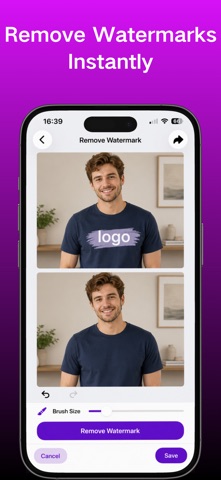
Make every photo look cleaner, simpler, and more polished.
A stranger appears in the background.
An unwanted object distracts from the subject.
Private information needs to be hidden.
The background doesn't look right.
AI Eraser gives you simple AI-powered editing tools to improve your photos in just a few taps.
Remove Unwanted People & Objects
Clean up distractions from your photos with AI.
Whether it's a random person in a travel photo, an unwanted object in the background, or something that takes attention away from the subject, DreamPic helps you create a cleaner, more natural-looking image.
Perfect for:
• Travel photos
• Street photography
• Everyday moments
• Social media posts
• Product photos
Protect Your Privacy
Share photos with more confidence.
Quickly blur or pixelate sensitive areas before saving or sharing an image.
Use it to hide:
• Personal information
• Private details
• Faces
• Sensitive areas in screenshots
AI Background Editor
Give your photos a cleaner look without complicated editing tools.
DreamPic helps you:
• Blur backgrounds to highlight your subject
• Remove backgrounds instantly
• Create clean product images
• Prepare photos for social media and online listings
Great for portraits, products, profiles, and everyday content creation.
Magic Object Eraser
See something you don't want in your photo?
Select the unwanted area and let AI intelligently rebuild the surrounding image.
Remove:
• People in the background
• Small unwanted objects
• Visual distractions
• Clutter from your photos
Create Better Photos in Seconds
No complicated editing skills required.
Simply choose a photo, select what you want to edit, and let DreamPic handle the rest.
From everyday snapshots to travel photos and product images, DreamPic makes photo editing simple and intuitive.
Perfect For
• Travelers cleaning up vacation photos
• Creators preparing social media content
• Sellers creating product photos
• Users protecting private information
• Anyone who wants cleaner-looking photos
Make every photo closer to the way you imagined it.
Terms of Use:
https://www.apple.com/legal/internet-services/itunes/dev/stdeula/