Description
The hardest part of any task is starting. The 2-minute rule says: just commit to two minutes — then decide whether to keep going. Most of the time, once you've started, you'll keep working far longer.
FLIP is a single-screen timer built around that idea.
——————————————
HOW IT WORKS
• Tap once to start a 2-minute kickoff timer.
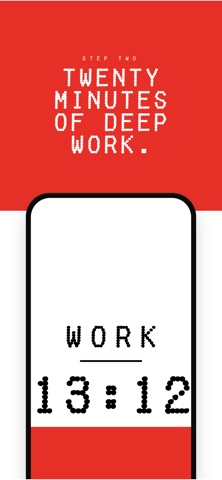
• When 2 minutes are up, flip your phone face-down to commit to a 20-minute deep-work block.
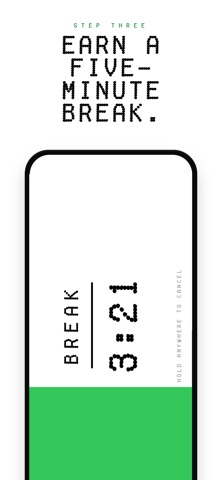
• When deep work ends, turn your phone sideways to take a 5-minute break.
• Hold anywhere to cancel — a segmented bar fills with synchronized haptics so the gesture is unmistakable.
That's it. No accounts, no settings, no menus.
——————————————
DESIGNED FOR FOCUS
• Single-screen interface with a retro-digital typeface and edge-to-edge color fill that grows with the timer
• Haptic feedback on every state change so you don't have to look at the screen
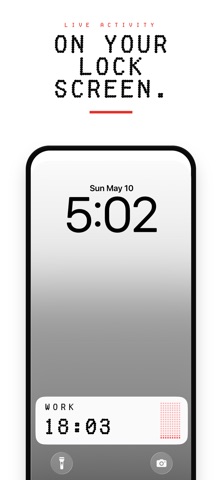
• Lock-screen and Dynamic Island Live Activity — keep the countdown visible without unlocking your phone
• A short chime when each phase ends so you can put the phone down and focus
——————————————
PRIVATE BY DESIGN
• 100% on-device. No accounts, no analytics, no third-party SDKs, no servers.
• No data collection. The privacy policy fits on one page.
——————————————
WHO IT'S FOR
• People who reach for their phone instead of starting a task
• Knowledge workers running Pomodoro-like sessions
• Students looking for a low-friction focus timer
• Anyone who wants the smallest possible app between them and beginning a task
Beat procrastination by promising yourself two minutes. Then flip the phone.
What's new (v1.1)
Every way you hold the phone is now a timer you set yourself.
CUSTOM TIMERS
• Four timers instead of three — turned left and turned right are now
separate slots, so all four orientations have their own timer.
• Any length from 5 seconds to 3 hours.
• Name each one whatever you like, up to 10 characters.
• Red or green, per timer.
• Set a slot to ASK and it asks how long every time you start it —
and opens on the last length you picked.
• Everything lives behind EDIT TIMERS on the start screen, with RESET
TO DEFAULTS to put it all back.
PICKING WHAT'S NEXT
• When a timer ends, all four are now laid out around the edges of the
screen instead of a single suggested next step.
• Each one sits on the side you turn toward to reach it. Turn the
phone that way and hold — it fills as you hold, so you can see it
coming and change your mind.
• Or tap any of the four, including the one that just finished, to run
it again.
• Your name and colour now show on the Lock Screen and in the Dynamic
Island while a timer runs.
FIXED
• Turning from one timer to another no longer starts the timer you
passed through on the way.
• Hold to cancel no longer gives up silently when the phone shifts in
your grip — most likely when the running timer wasn't the way you
were holding it.
• The countdown digits no longer fade between seconds.
• The status bar no longer sits on top of a turned or upside-down
screen.
BEGIN 2:00, WORK 20:00 and BREAK 5:00 are still exactly where they
were until you change them.