Description
SnapShift turns a photo of your work schedule into a calendar you can actually use. Snap a picture of the printout on the breakroom wall, drop in a screenshot from your scheduling app, and SnapShift reads the shifts and adds them to your calendar. No typing, no copy-paste, no account.
Built for hourly workers, shift workers, and anyone tired of re-entering their schedule by hand every
week.
KEY FEATURES
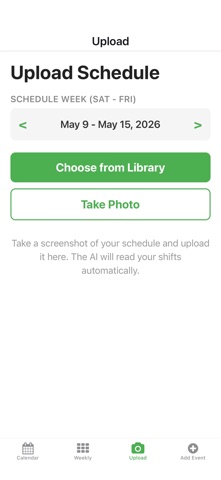
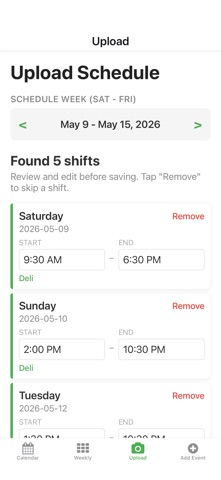
• Schedule reading. Take a photo or pick a screenshot of your work schedule. SnapShift reads the
shifts automatically. If your schedule has an unusual layout, an AI assistant takes over to handle it.
• Monthly calendar. A clean monthly view with color-coded dots so you can see your month at a glance.
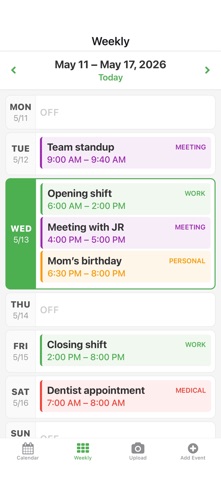
• Weekly view. A 7-day overview with compact shift blocks, easy week navigation, and today
highlighted.
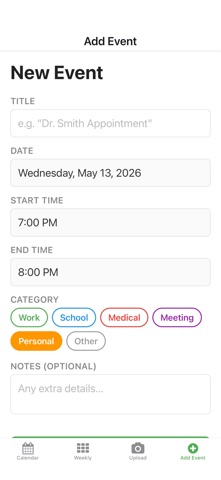
• Manual events. Add anything by hand: title, date, start and end times, category, and notes. Great
for appointments, classes, or anything that isn't on the work schedule.
• Repeating events. Schedule something that happens every week, every other Tuesday and Thursday, or
on the 1st of every month. End on a date or keep it going.
• iPhone Calendar sync. See your existing iPhone Calendar events alongside SnapShift events, and
optionally save SnapShift events to a dedicated SnapShift calendar on iPhone.
• Smarter schedule reading. Whether your schedule is a list with times or a monthly grid with markers,
SnapShift handles it.
• Edit and delete. Tap any event to view, edit every field, or remove it.
• Color-coded categories. Work, personal, medical, school, and other. Glance and know what kind of day
you're looking at.
• On-device storage. Every event lives on your phone. No accounts, no sign-up, no cloud sync, no
analytics. Uninstall the app and the data is gone with it.
WHO IT'S FOR
• Retail, hospitality, healthcare, and other shift workers who get a new schedule every week
• Students juggling class times, work, and appointments
• Anyone whose schedule arrives as a photo, screenshot, or printout
PRIVACY
SnapShift does not collect, store, or transmit personal information. Schedule images are sent to
text-recognition services (OCR.space for standard scans, Google's Gemini API for harder layouts) only
to extract shifts from them. They are not stored by SnapShift, linked to you, or used for tracking. If
you tap "Send screenshot to improve" after a failed scan, the image goes to the developer for review
and is deleted after triage.
Everything else stays on your device. Connected iPhone Calendar events are read on-device only and are
never transmitted anywhere.
Full privacy policy: rydertetreault.dev/projects/snapshift/privacy-policy
Snap. Shift. Done.
What's new (v1.3.2)
Bug fixes and improvements