Description
Upgrade your photography – start your free 7-day trial today!
THE ORIGINAL: ProCamera is the ultimate photo and video app for enthusiasts, creatives, and professionals. Experience the power of a DSLR camera with ProCamera's innovative features and seamless integration with your iOS photo library.
ProCamera perfectly blends simplicity with sophistication: Choose from easy point-and-shoot mode, semi-automatic mode or dive into full manual controls with just a tap. Effortlessly capture stunning images and film like a pro with advanced features and support for external lenses and microphones.
The powerful editing suite allows you to elevate your images with a wide range of tools for complete creative control. Know everything about your captures with our pro-level EXIF/metadata viewer. Enjoy custom sharing options to easily remove geo-tags for increased privacy or downsize photos and videos to save data.
Trusted since 2009 and continuously refined through years of innovation, ProCamera is loved worldwide: Featured by Apple, numerous prestigious awards and more than 40k 5-star reviews!
––– KEY FEATURES FOR UNRIVALED CONTROL –––
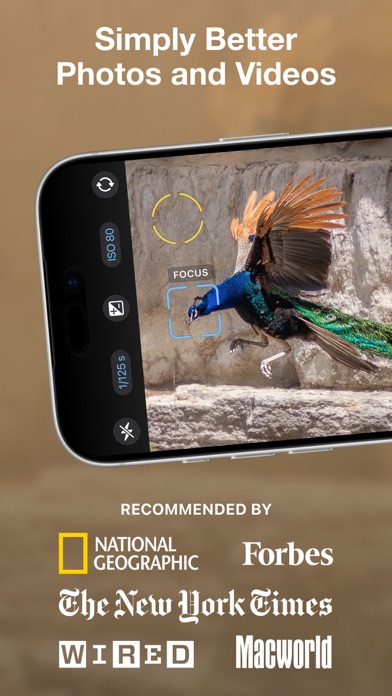
Independent focus & exposure control
Auto, Semi-Auto, full Manual mode
Manual focus & focus peaking
Exposure compensation with zebra stripes
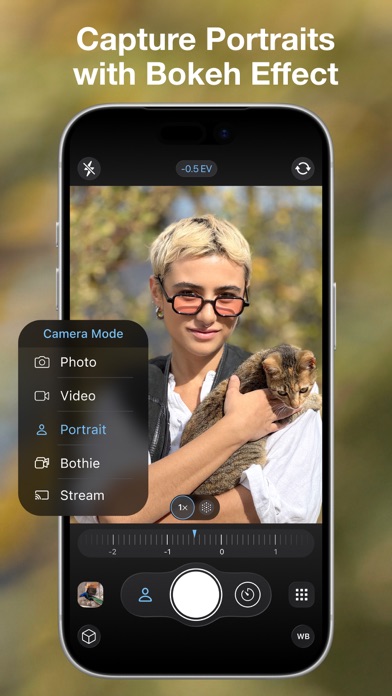
Portrait mode with depth preview
RAW, ProRAW, TIFF, JPG & HEIF
Optical & digital zoom (up to 24x)
Manual white balance (incl. gray card calibration)
Support for all lenses (ultra wide, wide, tele, LiDAR)
48 MP photos (iPhone 14 Pro and up)
Configurable capture quality
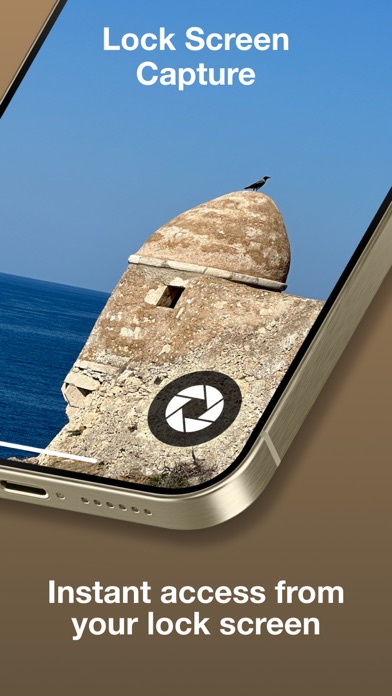
Lock screen camera
Support for Camera Control Button (iPhone 16 and up)
Custom launch settings
Selftimer & ProTimer intervalometer
Selfie mode with display flash
Image stabilization on/off
EXIF & metadata viewer
Live Histogram
Aspect Ratios (4:3, 5:4, 3:2, 1:1, 16:9, 2:1, 2.4:1, 3:1, golden ratio)
Adjustable LED light
Rapid Fire photo series
Apple Watch Remote Trigger
Powerful gallery with iCloud integration
Support for iOS albums
Mirroring options
Anti-Shake
3D Tiltmeter
Photo Compass
Code Scanner (QR, Barcode,…)
Date stamp & copyright field
Volume button & full screen trigger
Lightbox (optional internal save location for easy file sharing)
––– ADDITIONAL VIDEO FEATURES –––
Video resolution options (4K, 1080, 720, 480 VGA)
Frame rates (24, 25, 30, 48, 50, 60, 96, 100, 120, 192, 200, 240 fps)
Codecs (H.264, H.265 HEVC, ProRes, ProRes RAW)
Log profile
High bitrate recording
Record to external USB-C drive
Connect bluetooth, lightning, USB microphones
Stereo audio & Audiometer
Disk space indicator
Still photo capture while filming
––– PHOTO EDITING –––
ProRAW/RAW Editing
Depth editing (Bokeh, simulated aperture)
EDR and ISO HDR
100+ photo filters
Wide range of pro tools
Save & export options (resize, convert to jpeg, remove geotag)
Automatic Perspective Correction (APC)
––– INCLUDED PREMIUM FEATURES –––
Get access to premium features such as Auto Perspective Correction with Live Preview for professional-looking photos free of perspective distortion, custom camera presets (Exposure, WB, Focus) for a fast and consistent workflow, anamorphic lens support, (RAW) exposure bracketing, safeguarded Private Lightbox folder, and specialty photo filter sets.
After the free trial, ProCamera is available as a subscription.
Terms & Conditions: procameraterms.cocologics.com
What's new (v26.3)
[+] PHOTO STACKS
Bursts, exposure brackets, and time-lapse sequences are now grouped into a single collapsed stack in the internal Lightbox, keeping your library tidy. Every stack is clearly labeled and shows a badge with its photo count.
[+] A MODERN LIBRARY VIEW
A modern thumbnail grid for browsing your photos and videos, with a zoom level you can adjust from a menu or with a pinch gesture.
[+] TIMELAPSE VIDEO EXPORT
Turn your ProTimer photo sequences into timelapse videos, right in the Lightbox: open a ProTimer stack, tap the ⋯ button, and choose Create Timelapse. Export as H.264 or HEVC at your chosen frame rate and resolution.
[+] APERTURE CONTROL IN PORTRAIT MODE
Control the simulated depth of field in Portrait mode with a dedicated ƒ-stop dial, right on the capture screen.
[+] CONSTANT ISO EXPOSURE BRACKETING (Premium)
A new Constant ISO setting locks ISO across the whole bracket so only shutter speed changes, giving you consistent noise across every frame and cleaner HDR merges in advanced post-processing.
[+] A BETTER WAY TO GET HELP
In a survey you told us you prefer email, so we upgraded the support system. Reach out from inside the app and get replies right in your inbox. For in-depth guides, explore our growing Help Center and master every feature.
+++ 26.x:
[+] SMART DEPTH (Premium)
[+] EDITING STUDIO REDESIGN
[+] FILE FORMAT DISPLAY
[+] SUPPORT FOR iPHONE 17e
[+] AIRPODS HIGH QUALITY AUDIO
[+] IMPROVED EXTERNAL STORAGE SUPPORT (Premium)
[+] LOG 2 RECORDING
[+] PRORES RAW
[+] WINDOWED APP SUPPORT
[+] SUPPORT FOR THE NEW iPHONE GENERATION
[+] iOS 26 REDESIGN
[+] ALL-NEW ALBUM LIST
[+] SAVE PHOTOS TO EXTERNAL STORAGE (Premium)
[+] NEXT-LEVEL VIDEO CAPABILITIES
[+] AUDIO MODE SELECTION
+++ 18.x:
[+] PRIVATE LIGHTBOX UPGRADE
[+] NEW DUOTONE FILTERS
[+] CAPTURE 50,000 PHOTOS WITH PROTIMER
[+] ADAPTIVE HDR SUPPORT
[+] VIDEO PAUSE
[+] LOCK OPTIONS IN CAMERA CONTROL
[+] LAUNCH SETTINGS
[+] LIGHTBOX IN LOCK SCREEN CAMERA
[+] PORTRAIT MODE IMPROVEMENTS
[+] CAMERA CONTROL
[+] GESTURE CONTROL ON APPLE WATCH
[+] 4K 120FPS PRORES VIDEO
[+] LOCK SCREEN CAMERA
[+] MUTABLE SHUTTER SOUND
+++++
If you have any suggestions or find a bug, please let us know via in-app support or email us at support@procamera-app.com.
Visit blog.procamera-app.com for the latest information about ProCamera.
If you enjoy our app, please consider leaving a review in the App Store or updating your previous one. Every single review is much appreciated.