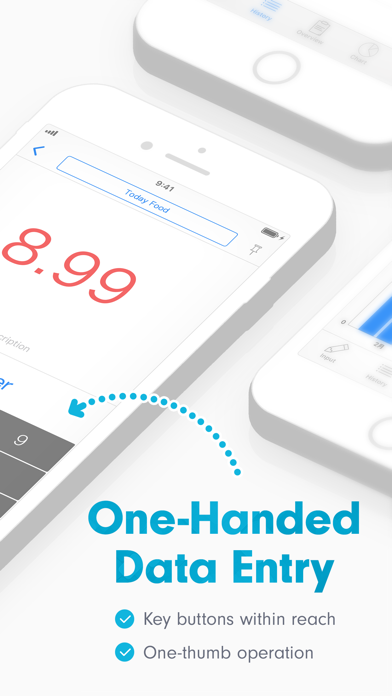
This is a big update. The main focus is the design update, plus smoother input and history interactions.
New
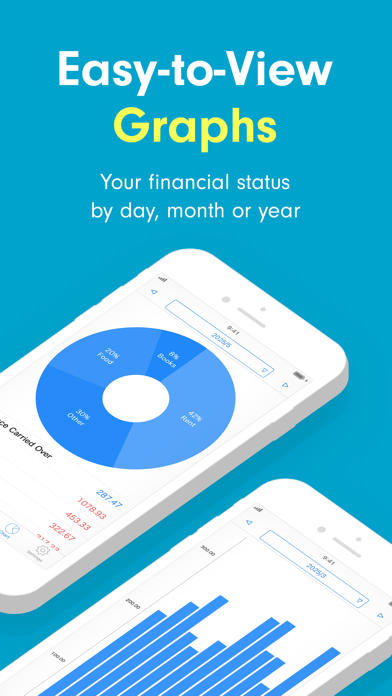
- Refreshed the pie chart on the graph screen into a donut view that makes the breakdown easier to check.
- Updated the bar chart on the graph screen to make daily amounts and detail checks easier to read.
- Revised the report summary screen and organized the balance, income, and expense breakdowns.
- Refreshed the look of the category list and date row on the input screen.
- Revised history rows and date headers so memos and amounts are easier to read.
- Improved the input completion display and the look around category editing.
Fix
- Fixed an issue where daily totals and detail displays in the bar chart could shift when using a custom closing-day period.
- Adjusted the keypad and update button layout on the amount editing screen, improving readability across device sizes and Dark Mode.
- Fixed an issue where the highlight could be cut off when selecting a list cell.
Based on iOS design patterns, I have been steadily improving the older design. This is a large design update, but I was careful not to change the familiar feel of using the app.
I put a lot of effort into this, so I hope you like it.
I tested it quite a lot myself, but if anything feels off, I would really appreciate hearing from you.
If you notice anything, feel free to reach out from Settings=>Requests & Questions. Bug reports and feature requests are always a big help.