Description
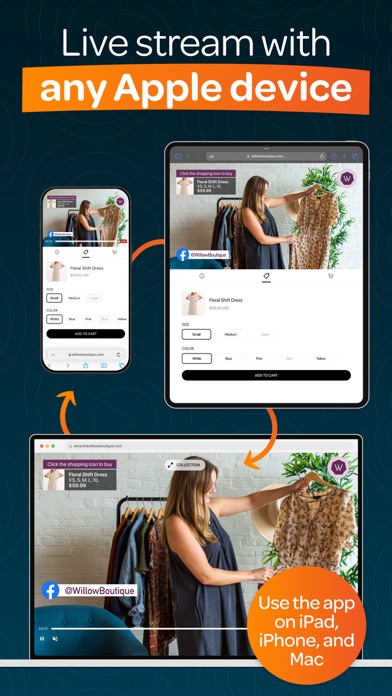
Switcher is an all-in-one multi-streaming & video platform built to fuel your growth. It’s a simple way to create pro multi-camera content and live stream to many social platforms at once, all from your Mac, iPad, or iPhone. No pro equipment or tech skills needed.
Whether you’re a church looking to grow, a sports team sharing the action, or a passionate creator, Switcher has everything you need to level-up your live streams.
▶ “We saw our online giving increase, which allowed us to maintain our church expenses.” — Natalie June | New Greater Love Church
▶ “One or two people can manage a Switcher shoot versus a full 5- to 10-person team.” — Sarah Kelsey | Senior Manager, Smart Living
▶ “We can create quality content with Switcher that's on par with content people are making with these several-thousand-dollar setups.” — Alexander Sosa | Associate Pastor and Worship Leader, Life Church
▶ MULTI-STREAM LIVE TO EVERY PLATFORM AT ONCE
– Go live on Facebook, YouTube, Instagram, & more—simultaneously
– Live stream on your website & in private online groups
– Display live comments, slides, polls, scoreboards, & more
– Invite up to five remote guests or collaborators to join your streams
▶ CREATE MULTI-CAMERA VIDEOS & STREAMS EFFORTLESSLY
– Use your Mac, iPad, or iPhone as your main camera-changing device
– Connect up to 9 other devices (iPhones, iPads, webcams, or cameras) to capture different angles
– Change camera angles & edit your streams in real-time
– Automatically rotate between camera angles
– Display logos, graphics, text, photos, pre-recorded video, & more in real-time
– Use your graphics or customize pre-made templates
– Share multiple camera angles at once with split-screen, picture-in-picture, & grid layouts
– Share your screen & webcam at the same time
– Create multi-camera video clips in seconds & share them directly to social platforms
– Use the ChromaKey/green screen tool to replace backgrounds with custom images or videos
▶ EMBED VIDEOS & STREAMS ANYWHERE
– Transform your website with video players, playlists, & Netflix-style video catalogs
– Host ad-free, branded video content—no competitor recommendations
– Brand your videos & player with your logo, colors, & graphics
– No website? Create a customized professional video watch page
– Track your growth with built-in video analytics
▶ COLLECT DONATIONS & EARN WHAT YOU DESERVE
– Collect donations directly in your streams via Tithe.ly, PayPal, or Givelify
– Sell tickets to special events or access to exclusive content
– Offer content subscriptions for ongoing support
– Add call-to-action links for giving, sign-ups, or volunteer opportunities
– Sell merch or digital resources with Shopify integration
– Earn what you deserve when you get paid directly by your supporters
▶ GET HANDS ON SUPPORT FROM FRIENDLY EXPERTS
– Reach a real person on our US-based support team, effortlessly
– Get one-on-one setup support to hit the ground running
– Use our help center to find answers to your questions fast
▶ “We quickly realized the ease of using—& teaching others to use—Switcher for our church services & other events.” — Cherilyn Uthe | Faith Productions
▶ “I can count on Switcher—I contact the support team & I’m answered in a day." — Stephanie Reilly | Founder, Surprise Lily Boutique
In-app purchases:
▶ STUDIO SUBSCRIPTION
Includes the Mac & iOS apps for multi-camera production, multi-streaming, & social media clip creation & publishing.
▶ BUSINESS SUBSCRIPTION
Includes the Mac & iOS apps, PLUS browser-based features to host, embed, manage, & monetize your videos & streams.
To explore Switcher’s full suite of tools, visit switcherstudio.com
Have questions? Drop us a line! support@switcherstudio.com
Privacy Policy: switcherstudio.com/privacy-policy
Terms of Use: switcherstudio.com/terms-of-use
Compatible Devices: switcherstudio.com/compatible-devices
What's new (v13.17.0)
- Added NDI support for remote camera
- Added an interactive help chat
- Event creation: Added the ability to add or remove the Video Catalog destination for a scheduled event
- Bug fixes and stability improvements