Description
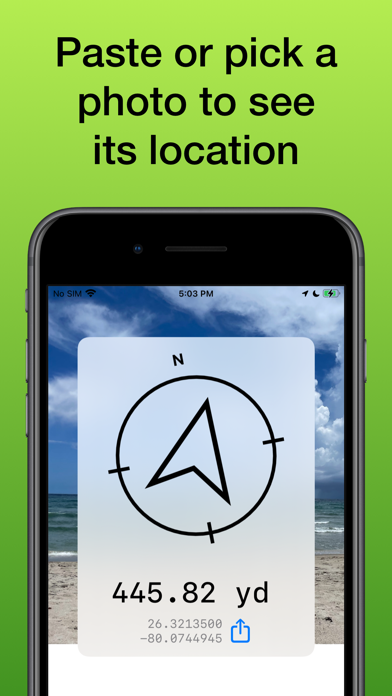
Photo Find points you to the location where a photo was taken.
Take photos of anything in the Camera app to mark a spot, and navigate back later.
Follow the arrow on foot, or see the photo’s location on a map.
Use Photo Find to:
- Hike back to your favorite camping or hunting spot
- Find your car using a photo when you can’t remember where you’ve parked
- Meet up with a friend based on a photo he or she sent you
- Take the scenic route. Drive by direction instead of turn-by-turn
- Relive memories in the context of your current surroundings
- Have a photo scavenger hunt with friends
How to use:
1) Open the app
2) Paste a photo from the clipboard or select one from your library
3) If the photo has location information, you will see an arrow pointing to the location where the photo was taken.
4) Go in the direction the arrow is pointing. The distance will count down as you approach your destination.
5) Tap the button next to the distance to open the photo location on a map or copy the coordinates.
If you have a photo in another app, tap the share button, then use the Navigate in Photo Find extension to quickly open it in Photo Find and start navigating. Rearrange your actions in the menu to keep it at the top so you can always open photos in Photo Find quickly and easily.
Keep in mind this app only works with photos that have EXIF location data. Not all apps save location data with photos, and the Camera app will only save location data if you have granted it access to your location.
This app also relies on the accuracy of your device’s GPS and compass sensors, as well as the accuracy of location and altitude data when the photo was taken. There can be significant error in all these measurements, so accuracy of the app is limited by these factors. Photo Find works best for navigating outdoors to photos that were taken outdoors with good GPS reception.
What's new (v2026.1)
Language: Added localized app for Arabic, Chinese, French, Korean, Portuguese, Russian, Spanish, and Vietnamese.
Sharing: Improved the Navigate in Photo Find action extension so photos open more reliably from the share sheet.
Reliability: Rebuilt photo import, location permissions, navigation state, and compass handling for a more dependable experience.