Description
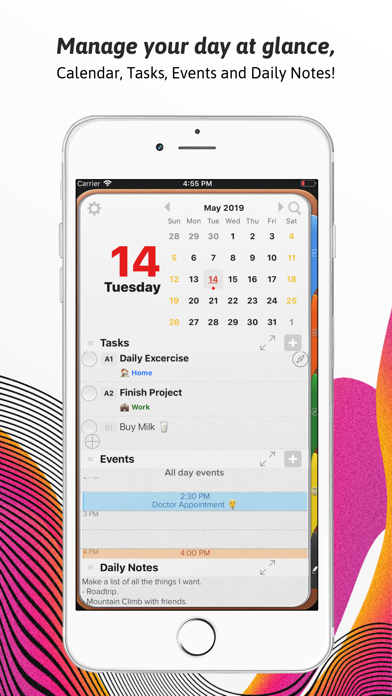
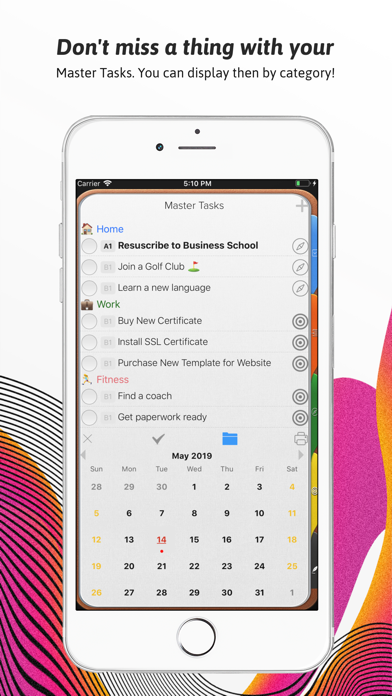
An effective to do manager. Use our Master Task section to get everything off your mind, easily glance at your day or week on the Planner, move from the list to the schedule. Finally drag and drop to reorder, prioritize or reschedule tasks & events.
Our powerful tools include:
1. Daily Task lists with status, priority and notes
2. Daily Schedule and Event integration with Calendar
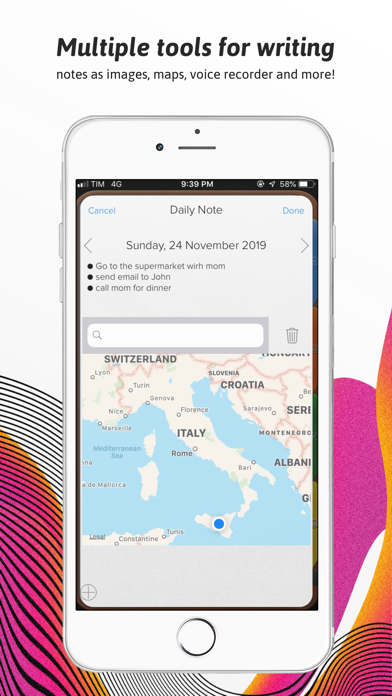
3. Daily Notes with Motivational Quotes and the ability to include text and maps.
4. Master Task list with side Planner Views.
5. Task Alarms synced through out devices.
6. New Daily Notes section that allow you to change font, size and color for a specific text, phrase or paragraph.
7. Daily Quotes Widgets.
8. New Widgets for Daily Tasks and events at a glance, Mission statement, Values & Principles.
9. Planner Themes.
10. The new notes section will allow you to change font at any point in the note, Change font size up or down and Change font color.
11. Meeting Planner section
The Universal Subscription includes:
1. Cloud synchronization across other iOS Devices and MacOS.
2. Weather Information including Current Weather, 10 Day Weather forecast with automatic city location.
3. Images, PDF's, checklists, maps & audio notes.
4. Sketch drawing canvas optimized for Apple Pencil
5. Color Coded Categories
6. Repeating Rules with advanced customization
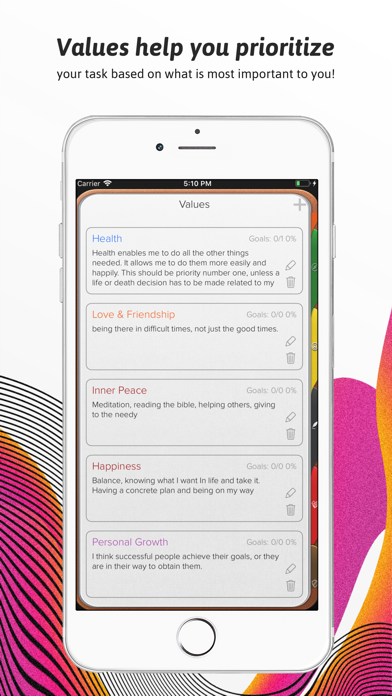
7. Goals.
8. Add tasks using Siri.
9. Planner Themes.
10. The new notes section will allow you to change font at any point in the note, Change font size up or down and Change font color.
Our auto renewable Universal Subscription is available on a Yearly or Monthly basis.
One subscription will give you access to Opus One for iOS devices (iPhone and iPad) and MacOS
Information About our Universal Subscription:
- Payment will be charged to iTunes Account at confirmation of purchase
- Subscription automatically renews unless auto-renew is turned off at least 24-hours before the end of the current period
- Account will be charged for renewal within 24-hours prior to the end of the current period, and identify the cost of the renewal
- Subscriptions may be managed by the user and auto-renewal may be turned off by going to the user's Account Settings after purchase
- No cancellation of the current subscription is allowed during active subscription period
- One subscription is valid for all Apple devices (iPhone, iPad and Mac) that have the same iCloud account.
Privacy Policy:
https://piso13.com/privacy-policy-2/
Terms of Service:
https://piso13.com/terms-of-service/
What's new (v2.9.1)
This update focuses on improving reliability, syncing, and the new Tags experience across Opus One.
New and Improved
- Added support for Note Tags, including hidden tags and tag source details.
- Improved the Tags interface with better responsiveness and smoother expansion.
- Updated naming in the Daily and Weekly Planners for more clarity.
- Improved search feedback with a more reliable activity indicator.
Fixes
- Fixed several sync issues affecting notes, checklists, task deletions, and note tags across devices.
- Resolved crashes related to CloudKit syncing, shared data updates, and editing note tags.
- Fixed issues with note conflicts when adding agenda items.
- Improved calendar interaction and reduced UI delays in the Achievement/Promo Award overlay.
- Fixed lag when editing title fields and improved horizontal scrolling on Mac.
- Resolved issues with category filters, checklist syncing, and journal tag highlighting.
Thank you for using Opus One. We’re continuing to refine the experience so planning, journaling, and organizing your day feels smoother and more dependable.